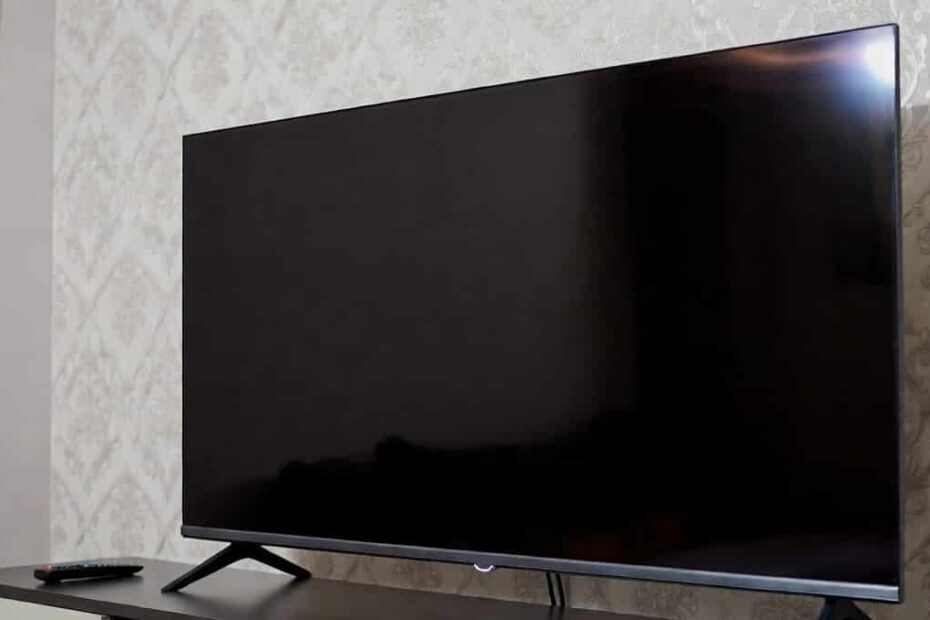
When your LED TV on but no picture issue suddenly appears, it can be very frustrating. The power light is on, sometimes you can even hear the sound, but the screen stays totally black or very dim. In a city like Agra, where voltage fluctuation, power cuts, and monsoon humidity are common, this problem is even more frequent.
This guide explains, in simple language, what you can safely check at home, what common LED TV display issues and solutions look like, and when it is better to stop experimenting and call a trained TV technician in Agra. If these steps do not solve your problem, professional help is available from local experts like Ravi Electronics for LED TV screen repair service in Agra.
What “LED TV on but no picture” actually means
When people say “my LED TV is on but no picture,” the situation is usually one of these:
- TV shows power light but screen is totally black.
- TV has sound (channels, OTT, YouTube) but screen is dark.
- Logo comes for 1–2 seconds, then screen goes black.
- Picture is extremely dim; you can see a faint image only with a torch.
In most of these cases, the TV’s basic power is fine, but either the video signal is missing or some part related to the display has a problem.
Why your LED TV is on but “no picture”
In simple terms, this problem falls into two broad categories:
- Easy issues outside the TV (settings, loose cables, source problems).
- Internal hardware faults (backlight, panel, motherboard, power section), which usually need a technician.
For many homes in Agra, especially where TVs are connected with set‑top boxes, DTH, or Smart TV boxes, the issue is often something simple like the wrong input, a loose HDMI cable, or a temporary software hang. Those are things you can safely check yourself at home.
But if the issue is inside the TV panel, backlight, T‑Con (picture control board), or main board, the repair needs tools, parts, and experience. That is when contacting a reliable LED TV repair service in Agra like Ravi Electronics saves both time and money.
Symptoms and quick checks
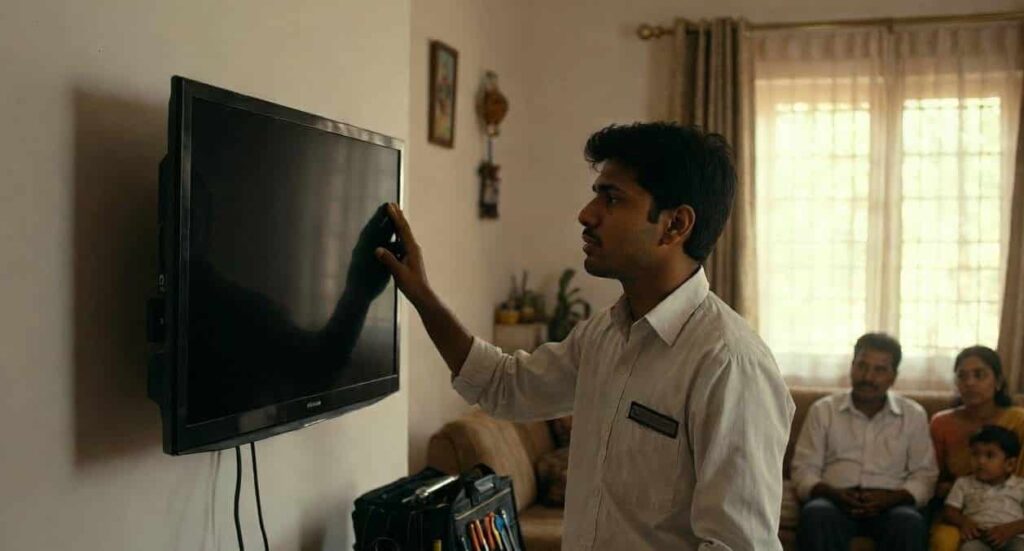
Here are common symptoms and some very simple checks you can try before thinking of major repair.
- TV power light is on, screen fully black, no sound:
- Check if the TV is actually turning on (press Menu or Volume buttons on remote and on TV side panel).
- Try changing channels from set‑top box or TV remote.
- Make sure the set‑top box or OTT device also has power.
- LED TV no picture but sound problem (you can hear sound but no image):
- In a dark room, shine a torch/phone light very close to the screen to see if a faint image is visible.
- Try increasing brightness, picture mode, and backlight level from the TV menu (if menu visible).
- Check HDMI / AV cable connections at both TV and device ends.
- TV shows logo then goes black:
- Switch off TV from the mains for 2–3 minutes and restart.
- Remove USB drives, Chromecast, Fire Stick or any external device and restart.
- Try starting the TV on another input or just TV mode (without external box).
- Picture comes and disappears with movement or cable touch:
- Gently press or wiggle HDMI/AV cable at TV and device end; if picture comes and goes, cable or port is likely loose.
- Try a different cable or different HDMI port on the TV.
If these basic checks don’t change anything, the issue may not be simple and could be internal.
Common causes explained in non‑technical language
Without going deep into electronics, here are the most common reasons for an LED TV on but no picture situation:
- Wrong input/source selected:
- TV is on HDMI 2 while your set‑top box is connected to HDMI 1, so screen looks blank.
- Easy to fix from “Source” or “Input” button on the remote.
- Loose or faulty cables:
- HDMI, AV, or component cables carry the picture signal.
- If they are half‑inserted, bent, or damaged, sound may come (from another connection) but picture will not.
- Temporary software or firmware issue:
- Smart TVs sometimes hang like a mobile phone.
- A simple restart from mains power can solve “no picture” or “logo stuck” issues.
- Backlight failure:
- The LED lights behind the panel which make the picture visible stop working due to age, heat, or voltage issues.
- The TV still creates picture internally (you may see faint image with torch) and sound works, but screen looks black.
- Panel (screen) damage:
- Physical impact, pressure, or internal cracks can cause black screen, lines, or half picture.
- Even if there is no external visible crack, inside layers can get damaged.
- T‑Con or main board fault:
- These are the boards that process video and send it to the screen.
- Failure can cause no picture, distorted picture, or logo‑then‑black behaviour.
- Power issues inside the TV:
- Some sections of the power circuit might not be supplying correct voltage to the panel or backlight.
- Often linked to surges after power cuts or lightning in monsoon.
Everything up to wrong input, simple settings, and cable issues can be safely checked at home. Anything deeper usually needs a professional LED TV screen repair service in Agra to open and diagnose the TV.
Step‑by‑step troubleshooting guide
This step‑by‑step guide shows how to fix TV screen not showing picture at home for the simpler cases. Follow the order from easiest and safest to those where you must stop and call a technician.
Step 1: Check the basics (power and remote)
- Make sure the TV is actually turning on.
- Press the Power button on the TV (side/bottom) instead of only remote.
- See if the standby light changes colour or blinks.
- Try another power socket.
- Plug the TV directly into a known good wall socket.
- Avoid using loose extension boards or multi‑plugs.
- Check the remote.
- Replace batteries or try using the physical buttons on the TV to rule out remote issues.
Step 2: Confirm correct input/source
Many LED TV no picture but sound problem calls in Agra turn out to be simple input issues.
- Press the Source or Input button on your TV remote.
- Slowly cycle through all options: HDMI 1, HDMI 2, AV, Component, TV, etc.
- Pause 3–4 seconds on each source to see if picture appears.
- Match the source to how your device is connected:
- Set‑top box: usually HDMI 1/2 or AV.
- DVD player: HDMI or AV.
- Gaming console / Fire Stick: HDMI.
If picture appears on some other source, keep that selected and you are done.
Step 3: Check cable connections
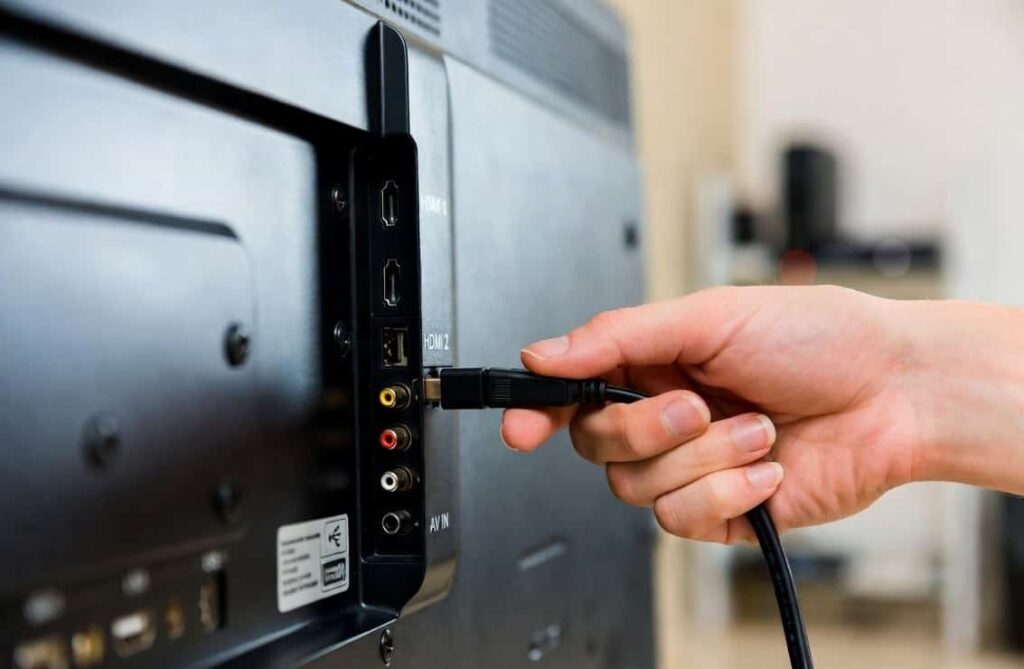
- Turn off TV and device from mains before touching cables.
- Remove HDMI/AV cables from both TV and device.
- Inspect for:
- Bent pins.
- Cuts or sharp bends in cable.
- Re‑insert the cables firmly so they fit tightly.
- If possible, try:
- Another HDMI port on the TV.
- Another HDMI cable.
If the cable was the issue, picture will come back immediately.
Step 4: Check external devices (set‑top box, DTH, OTT)
Sometimes, the TV is fine but the device giving signal has the problem.
- Check if the set‑top box or OTT device has its own power light on.
- Restart the device:
- Switch off from the main switch.
- Wait 30 seconds.
- Switch on again.
- Try connecting that device to another TV (if available).
- If no picture appears on second TV also, the device is faulty, not your TV.
Step 5: Adjust picture and backlight settings
If you can see the TV Menu or a faint image, incorrect picture settings may be causing very dim output.
- Press Menu or Home on the remote.
- Go to Picture or Display Settings.
- Increase:
- Brightness.
- Backlight level.
- Contrast slightly (but not to maximum).
- Turn off Eco Mode / Power Saving mode if enabled.
If the image becomes visible and stable, you have solved the problem without repair.
Step 6: Power reset / soft reset
This simple step can clear many software‑related display issues.
- Switch off the TV from the remote.
- Turn off the main power switch and unplug from the wall.
- Wait at least 2–3 minutes.
- Press and hold the TV’s power button (on the set) for 10–15 seconds if possible.
- Plug back in and turn on.
For Smart TVs, you can also:
- Check for system updates under Settings if the screen is visible.
- Reset only picture settings to default (do not do full factory reset unless comfortable).
Step 7: Torch test for backlight
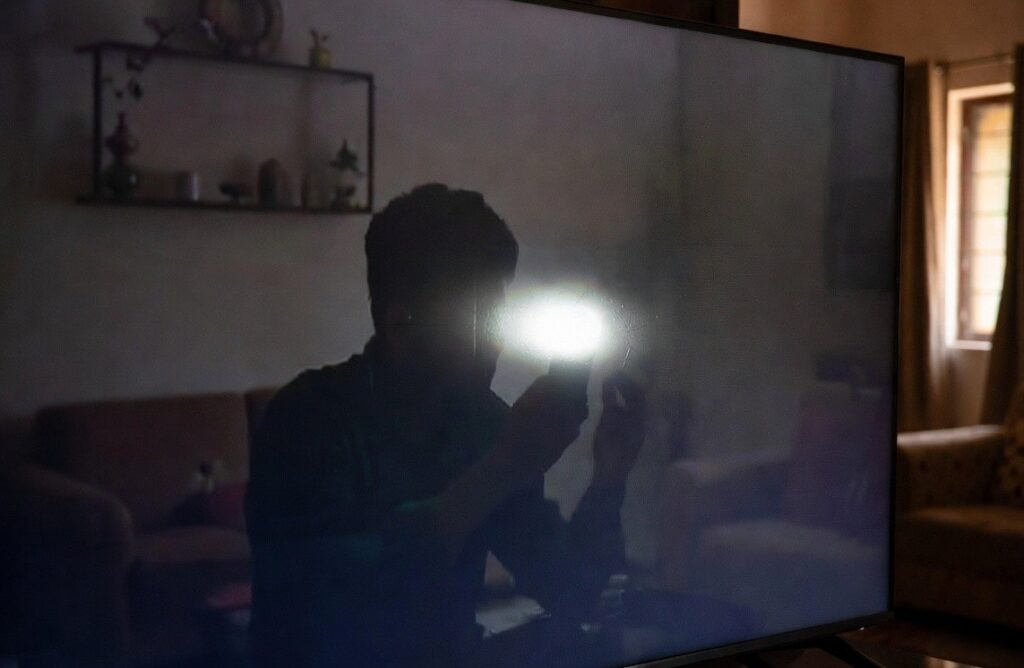
This is a safe way to guess if backlight is faulty, without opening the TV.
- Turn on the TV and go to a channel or any known video.
- Darken the room as much as possible.
- Take a bright torch or phone flashlight.
- Shine it very close to the screen from different angles and look carefully.
- If you can see a faint image (moving pictures, menu icons) but the overall screen looks black, it is very likely a backlight issue.
Backlight repair requires opening the TV, removing the panel, and replacing LED strips or related parts. This is not a DIY job and should be done by a trained technician.
Step 8: When you should stop DIY immediately
Do not attempt the following at home:
- Opening the back cover of the TV.
- Touching internal boards, wires, or connectors.
- Trying to repair LED strips, panel, or power board.
- Using hair dryer, water spray, or cleaning liquids inside the TV.
- Pressing or hitting the screen to “fix” the picture.
LED and Smart TVs contain high‑voltage sections that can give serious shock even when unplugged. Panels are also extremely fragile and expensive. At this stage, it is much safer and usually cheaper in the long run to call a professional LED TV technician in Agra, such as Ravi Electronics, who handle this work daily with proper tools and ESD safety.
When DIY fixes are not enough
Once you have tried the safe steps above and the problem remains, it is likely a hardware or internal fault. Below are clear signs you should stop experimenting and call a TV technician in Agra.
Clear signs of internal hardware issues
- TV has sound but completely black screen, even after settings and reset.
- Faint picture visible only with torch (strong sign of backlight failure).
- TV logo shows for a few seconds, then screen goes black every time.
- Picture appears for some time, then disappears or flickers badly.
- Half of the screen is dark or has vertical/horizontal lines.
- Screen is physically cracked, or there are visible “ink‑like” patches inside.
- Burning smell, sparking sound, or TV repeatedly goes off and on by itself.
Trying random tricks from the internet (putting pressure on panel, heating, etc.) can easily convert a repairable TV into a non‑repairable one.
How a professional technician will approach it
A trained LED TV technician will typically:
- Check and confirm all external, cable, and settings issues.
- Open the TV and measure voltages safely on different boards.
- Test backlight strips, panel connections, and T‑Con board.
- Identify whether the problem is:
- Backlight only.
- Panel (screen) itself.
- Main board / motherboard.
- Power board or related section.
Based on this, they will suggest repair or, if not economical, give clear advice about replacement.
Real‑world examples from Agra
- Example 1 – Backlight issue in Kamla Nagar:
A customer in Kamla Nagar called because their Smart LED TV had sound but no picture. They had already tried changing HDMI cables and inputs. A torch test showed a faint image. After inspection, the Ravi Electronics team found multiple faulty backlight LEDs. The LED strips were replaced, brightness adjusted to a safer level, and the TV started working normally again. - Example 2 – Panel damage in Shastri Puram:
In Shastri Puram, a family complained that half of their LED screen was dark with coloured lines after a child accidentally hit the screen with a toy. From outside, only a small mark was visible, but the internal panel was cracked. In this case, the technician clearly explained that only full panel replacement was possible and not economical for that older model, so the customer chose to buy a new TV instead of wasting money on unwise repair.
Having an honest technician matters. Local service centres like Ravi Electronics in Agra focus on clear diagnosis and helping you decide if repair is actually worth it, especially for older TVs.
Cost expectations in Agra
Every TV model and brand is different, but here is a general idea of cost levels and what affects pricing for this type of problem.
Typical price bands (approximate)
- Simple issues (settings, loose cables, basic service):
- Usually in a low cost range.
- Mostly service charges and minor parts, if needed.
- Backlight repair / replacement:
- Generally in medium cost range.
- Depends on TV size (inches) and number/type of LED strips.
- Main board / T‑Con board repair or replacement:
- Usually medium to high cost range.
- Cost varies by brand and availability of parts.
- Panel (screen) replacement:
- Most expensive, generally high cost range.
- For many models, panel price can approach or exceed a new TV’s price.
These are broad indicators only. Actual pricing is always given after physical inspection and proper diagnosis.
Factors that affect pricing
- Brand and model:
- Premium brands and very new models often have costlier parts.
- Very old models may have parts that are hard to source.
- Screen size:
- Larger TVs (43″, 50″, 55″ and above) generally have higher parts and labour cost than smaller ones.
- Type of fault:
- Simple connector issues vs complete board or backlight failure.
- Age and condition of TV:
- For TVs older than 6–7 years, sometimes repair is technically possible but not wise compared to replacement.
- Part availability in Agra:
- Some parts are easily available locally.
- Others may need ordering from larger cities, which adds time and cost.
Ravi Electronics in Agra typically checks your TV, explains the fault in simple terms, gives an estimated range (low/medium/high), and then proceeds only after your approval. This transparency helps you make an informed decision instead of guessing.
Prevention & long‑term care tips
Once your TV is working again, a few good habits can reduce the chance of seeing LED TV on but no picture issues in the future.
1. Use a good quality surge protector
- Agra faces frequent voltage fluctuations and power cuts.
- Use a good spike guard or voltage stabiliser for your TV and set‑top box.
- This protects sensitive boards and backlight circuits from sudden surges when power returns.
2. Give your TV space to breathe
- Do not block ventilation holes at the back or sides.
- Maintain some distance from the wall so hot air can escape.
- Avoid placing TV in a closed cabinet with no airflow.
Excess heat over time can shorten the life of backlight LEDs and other parts.
3. Avoid direct moisture and harsh cleaners
- Do not spray water or liquid cleaner directly on the screen.
- Use a soft, dry or slightly damp microfiber cloth.
- Never use strong chemicals, glass cleaner, or alcohol near the screen.
Moisture can seep inside and affect the panel or boards, especially in monsoon season.
4. Handle with care around kids and pets
- Educate children not to tap, hit, or throw things at the screen.
- Keep toys and balls away from the TV area.
- Mounting the TV on the wall (with proper installation) is often safer in homes with kids or pets.
Ravi Electronics also provides professional TV wall‑mount installation in Agra, ensuring safe, secure fitting for different wall types.
5. Keep cables organised and secure
- Avoid sharp bends and tight stretching of HDMI and power cables.
- Do not pull the TV by its cables when repositioning.
- Use cable clips or sleeves to keep wires neat and less likely to get damaged.
Loose or broken cables cause many so‑called “no picture” complaints that are easily avoidable.
6. Don’t run at maximum brightness all the time
- High brightness and backlight level look attractive but can stress LEDs.
- Keep brightness and backlight at comfortable, medium levels.
- Use “Cinema” or “Standard” picture modes instead of “Vivid/Dynamic” for daily use.
7. Care during power cuts and storms
- During heavy lightning or unstable supply, turn off and unplug the TV.
- Wait a minute after power returns before turning TV back on.
- Using a stabiliser or UPS adds another layer of safety.
These small steps can significantly extend the life of your TV and reduce the chance of future screen‑related problems.
Frequently Asked Questions
Is it safe to open my TV at home to fix this issue?
No, it is not safe for an untrained person to open an LED or Smart TV at home. Inside the TV there are high‑voltage sections and very delicate parts that can give shock or get damaged easily. Safe home checks should be limited to cables, settings, and power reset only. For any internal work, calling a trained TV technician in Agra is the best and safest option.
How much does it usually cost to repair this problem in Agra?
For an LED TV on but no picture problem in Agra, simple issues like cable or settings generally fall in a low service‑charge range. Backlight repairs and many board issues are in the medium range, while panel replacement is usually high and sometimes not economical. Exact cost can only be confirmed after inspection of your specific TV model and fault, so a quick home visit by a technician is recommended.
How quickly can Ravi Electronics provide same‑day service in Agra?
In most central and nearby areas of Agra, Ravi Electronics usually provides same‑day home visit for LED, LCD, and Smart TV complaints, depending on call timing and workload. For outer localities, service is often scheduled for the same day or the next working day. Basic tools and test parts are carried along so that many problems can be diagnosed and often repaired on the spot.
My TV has sound but no picture; should I repair or buy a new one?
If your TV is only 3–6 years old, repair is often worth it, especially for backlight or minor board issues. For very old models or if the panel (screen) itself is damaged, repair can be almost as costly as a new TV. A local expert like Ravi Electronics can inspect the TV at your home in Agra, give an honest opinion on repair vs replacement, and help you take a practical decision.
Can a power cut or voltage fluctuation cause this no picture problem?
Yes, sudden power cuts and voltage spikes are one of the common reasons for internal board or backlight damage. When power returns with a surge, it can stress components inside the TV. That is why using a good surge protector or voltage stabiliser and switching off the TV during storms or frequent fluctuations is strongly recommended.
What brands and sizes of TVs can Ravi Electronics repair?
Ravi Electronics in Agra handles most major LED, LCD, and Smart TV brands commonly used in Indian homes, across a wide range of sizes from small bedroom TVs to large living‑room screens. Whether it is a budget brand or a premium one, the team has decades of experience diagnosing and repairing no picture, backlight, and display‑related issues.
Can wall mounting or installation affect my TV’s picture?
Incorrect wall mounting itself usually does not cause a no picture problem, but poor installation can damage cables, ports, or ventilation. If wires are crushed behind the TV or there is no airflow, issues may develop over time. Using a proper wall mount and professional installation service in Agra helps ensure both safety and long‑term TV health.
If your LED TV on but no picture problem is still not solved after these simple home checks—or you simply do not have the time or feel unsafe experimenting—getting professional help is the smartest choice. Ravi Electronics offers doorstep LED TV repair, LED TV screen repair service in Agra, and safe wall‑mount installation for all major brands and sizes, often with same‑day service in many areas.
This guide is based on decades of hands‑on experience repairing TVs in real Agra homes, from old CRTs to the latest Smart LEDs. A quick call or message can save hours of frustration and bring your TV back to life safely and economically.