Key points (Busy readers)
- The T‑Con board (Timing Controller) is the “traffic controller” between your main board and the TV screen panel.
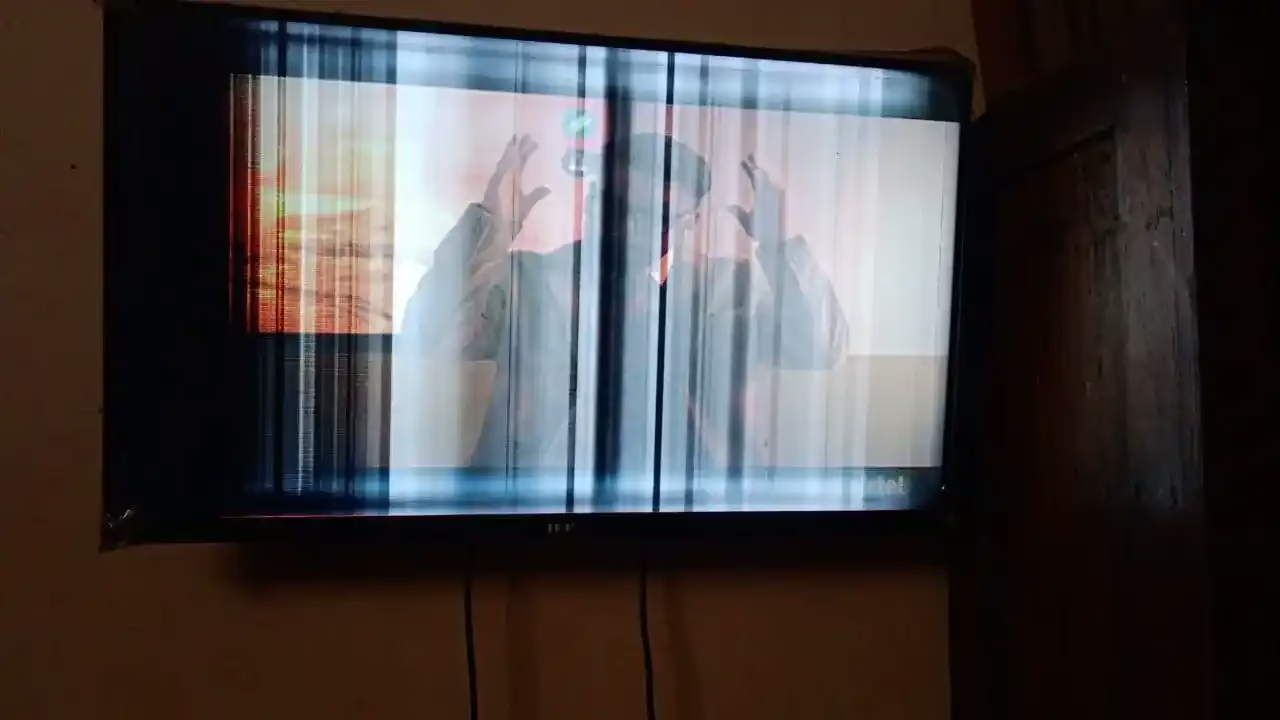
- Top symptoms: vertical/horizontal lines, half screen dark, white/grey screen with sound, flicker bands, wrong/negative colors.
- Many “panel gone” cases are actually T‑Con/cable/main board issues—correct diagnosis saves money.
- Safe checks at home: compare TV menu vs HDMI device, change source/cable, power cycle, reset picture settings, watch from boot logo.
- Don’t DIY-open the TV: panel ribbons are ultra-fragile, and one wrong touch can turn a repairable case into panel damage.
- Lines increasing daily, half screen suddenly gone, or white screen with sound = stop experiments and call a technician.
- Repair costs can be low/medium/high depending on whether it’s minor repair, T‑Con replacement, or panel/tab bonding.
- Ravi Electronics (Agra) can diagnose at home where possible, or in workshop for proper testing and transparent estimate.
Screen pe lines aa rahi hain? Half display dark ho gaya? Ya TV me sound aa rahi hai but picture gayab? In Agra homes, these display problems are very common—especially with heat, dust, and sometimes voltage fluctuations.
The good news: every “display problem” does not mean the panel is dead. Sometimes it’s the T‑Con board, sometimes a cable/connection, and sometimes the main board. The key is correct diagnosis—warna paisa wrong part pe lag jata hai. At Ravi Electronics, we handle LED/LCD/Smart TV display faults across Agra with a simple rule: first confirm the real cause, then suggest a practical repair option.
What is a T-Con board in a TV?
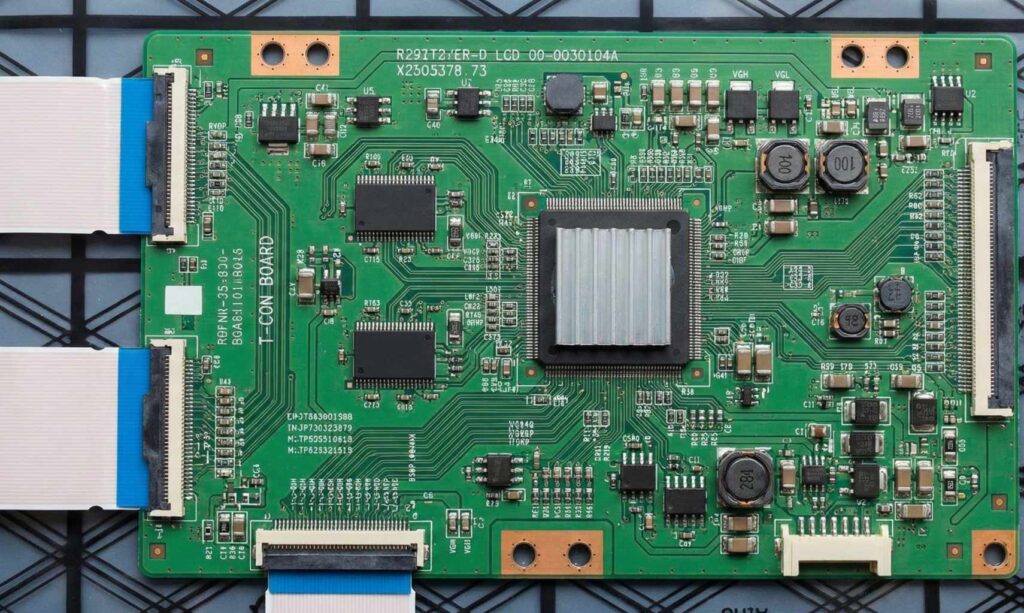
A T‑Con (Timing Controller) board is a small board that converts video data from the TV’s main board into the exact timing signals your screen panel needs to create the picture.
In simple flow, your TV works like this:
- Main board: “brain” (apps, HDMI inputs, processing, sound control)
- T‑Con board: “translator/traffic controller” (makes the picture signals usable for the panel)
- Panel (screen): “display glass” (shows image using very fine lines/ribbons)
- Backlight: “light source” behind the panel (without it, picture looks very dark/black)
If T‑Con fails, you can get picture distortions even when sound is normal, because sound comes from the main board while the picture path gets stuck between main board → T‑Con → panel.
Common symptoms of T-Con board failure
Below are common symptoms people search for (especially when they type “T-Con board failure” or “TV vertical lines on screen”). Each symptom can overlap—so treat these as hints, not final proof.
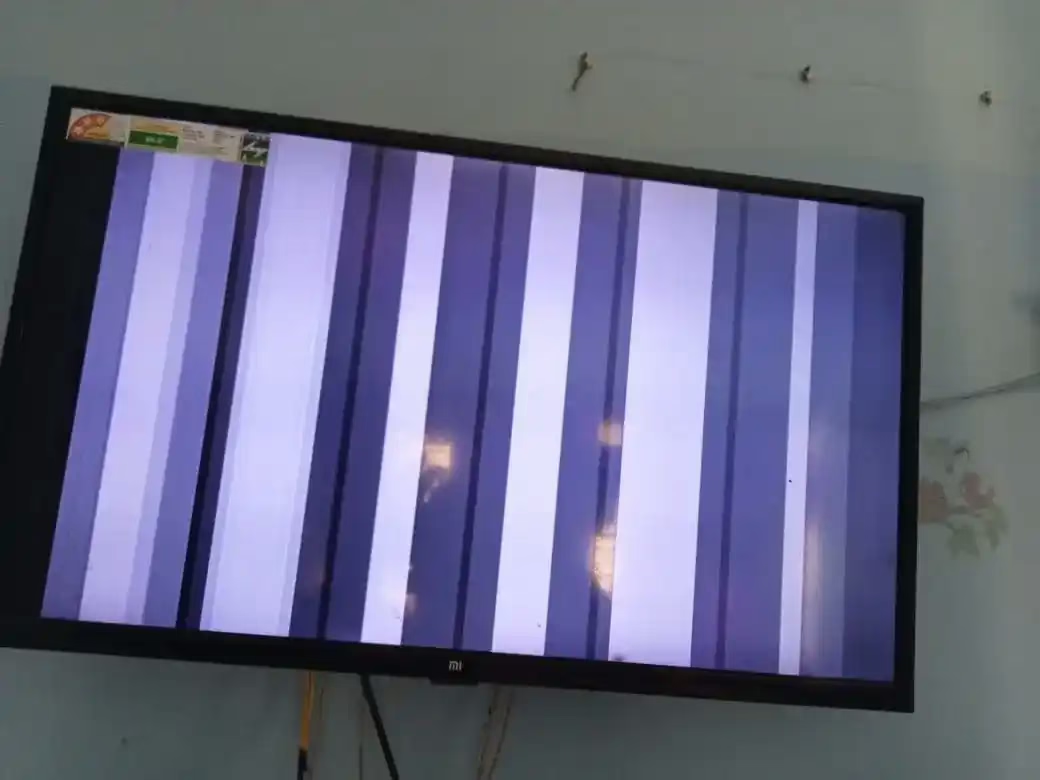
- Vertical lines on LED TV: Often T‑Con or panel; could be panel ribbon/tab issue.
- Horizontal lines on TV screen: Often T‑Con; could be panel; sometimes main board output issue.
- Half screen black/dark: Often T‑Con or panel/tab bonding; could be connection issue.
- Half screen display problem (one side OK, other side faulty): Often T‑Con/panel; sometimes cable/connector.
- TV white screen but sound ok: Often T‑Con/panel signal path; could be main board video output.
- Grey/washed screen with faint image: Often T‑Con/cable; could be panel.
- TV picture flickering (bands or pulsing): Often T‑Con/power-related; could be backlight driver or main board.
- Negative/inverted colors on TV: Often T‑Con or main board processing; sometimes panel-related.
- Wrong colors / solarized look: Often T‑Con; could be settings or main board.
- Picture comes and goes after warm-up: Often T‑Con heating issue or weak component; could be power board.
- Display distorted but sound normal: Often T‑Con/cable/panel; main board also possible.
- Lines increase over days: Often panel/tab issue; sometimes T‑Con degradation.
One honest point: T‑Con vs panel problem can look very similar. That’s why a technician checks patterns, boot logo behavior, and connector condition before calling it.
Vertical lines / horizontal lines on TV: is it T-Con or panel?
If lines are present on the TV’s own menu/logo on every input, it’s usually a panel/T‑Con path issue (not your set-top box). If lines appear only on one HDMI device, it’s usually a source/cable/settings issue.
Signs that lean towards T‑Con board problem
- Lines appear suddenly after a power event (spike) and stay constant
- Lines change when TV warms up/cools down (intermittent)
- Picture sometimes returns after power cycle (not guaranteed, but a clue)
- Multiple weird symptoms together: lines + color issues + flicker
Signs that lean towards panel problem
- Lines increase day by day or spread across the screen
- A fixed thick line that never changes regardless of input or reboot
- Problem started after physical hit/pressure during cleaning/shifting
- Half side shows permanent “stuck” pattern that doesn’t react to anything
When to call a technician (don’t wait)
- Lines are increasing daily
- There’s any crack/impact mark, even small
- TV is under warranty (don’t open/attempt)
- You see half screen gone, white/grey screen, or heavy flicker
Half screen dark/blank: what it usually indicates
Half screen dark/blank often points to a signal distribution problem between T‑Con and the panel, but it can also be panel tab bonding or a connection issue.
In simple words, the screen is one big glass, but internally it behaves like sections. If one section loses correct timing/data, you see:
- Left side OK, right side dark/blank
- Upper half OK, lower half distorted
- One half shows washed/white while the other shows picture
Possible causes (without over-technical jargon):
- T‑Con board problem (one channel/output weak)
- Panel tab bonding issue (the panel’s tiny bonded strips are failing)
- Loose/oxidized internal ribbon connection (technician-only handling)
- Main board sending corrupted video data (less common, but possible)
White screen but sound is coming: what it means
If your TV shows a full white/grey screen but sound is OK, it usually means the TV is “running” but the picture signal is not reaching the panel correctly.
Think of it like this: sound path and picture path are separate after a point. So you may still hear YouTube/TV channels, but the screen shows:
- White screen
- Grey/foggy screen
- Very faint image with backlight
Common suspects are T‑Con board failure, panel-side signal issue, or a connection problem in the display path. A technician checks whether the TV’s menu/boot logo ever appears and whether the issue changes with source, because that helps separate main board vs T‑Con/panel.
Flickering bands / distorted colors / negative colors: possible causes
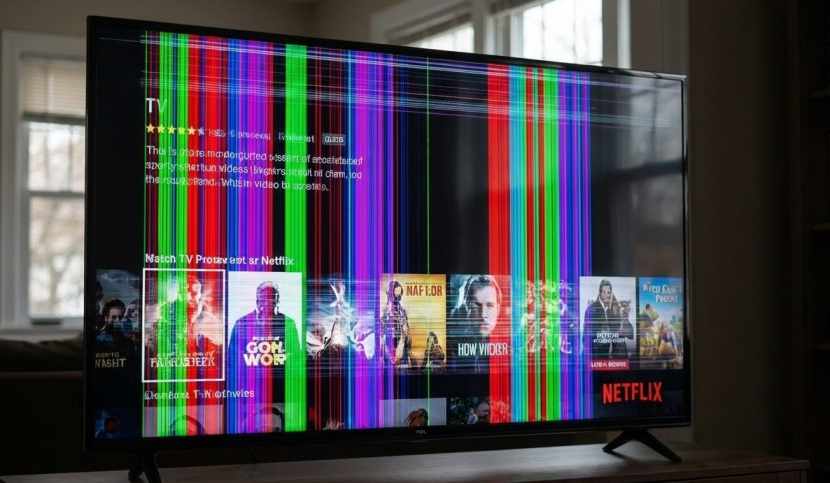
Flickering bands, wrong colors, or negative/inverted colors often indicate a control/signal timing issue, which can be T‑Con related—but not always.
Possible causes include:
- T‑Con board failure (timing/data not stable)
- Panel issue (especially if bands are fixed and increasing)
- Cable/connector issue (oxidation due to dust/humidity, or disturbed seating)
- Main board processing issue (software/processing fault or hardware issue)
- Power instability (if flicker reacts to fan/cooler switching or voltage dips)
In Agra, heat + dust can accelerate connector oxidation and thermal stress. That’s why a proper inspection matters before replacing parts.
Quick safe checks you can do at home (without opening the TV)
Do these checks safely—don’t open the TV and don’t press the screen. Agar screen pe lines aa rahi hain, toh pehle ye safe checks kar lo so you can explain clearly to the technician.
- Check TV menu/home screen (not just set-top box picture)
If lines/half screen/white screen also appear on the TV’s Home/Menu screen, the problem is likely inside the TV (T‑Con/panel/main board). If the menu looks perfect and only one device looks bad, it’s likely cable/source. - Change input/source and try another HDMI cable/port
Switch from HDMI1 to HDMI2, or try a different HDMI cable, or test with another device (like a laptop/Fire TV). If the issue disappears on another source, the TV may be fine and the culprit is the set-top box/cable. - Power cycle properly (simple reset)
Switch off the TV, unplug from the wall, wait 60–90 seconds, then plug back and start. If the picture returns temporarily, it can hint at a marginal T‑Con/main board/power issue—but don’t assume it’s fixed. - Reset picture settings / check updates (only if you can see enough)
If you can access settings, reset picture mode, disable any “dynamic contrast,” and check for software updates (Smart TVs). If colors become normal after reset, it may be processing/settings—not a hardware T‑Con failure. - Observe from boot logo (very important clue)
Restart and watch the brand logo screen. If the issue is present from the logo itself, it’s not your DTH box—more likely panel/T‑Con/main board. If logo is clean but issue starts after apps/input, it may point to software/main board or source.
When should you stop DIY and call a technician?
Stop DIY and call a technician when the issue looks progressive or sensitive, because experimenting can worsen it—especially if someone starts pressing the panel or opening the back.
Call a technician if:
- Vertical/horizontal lines are increasing day by day
- Half screen went suddenly dark/blank
- TV white/grey screen but sound ok
- Flicker/bands are getting worse with time
- Issue started after physical hit/pressure or during shifting
- TV is under warranty (avoid any tampering)
Opening the TV at home is risky because the panel ribbons (thin strip connections) are extremely delicate. One small tear, static shock, or wrong reseating can turn a T‑Con board problem into a panel-level issue.
How technicians confirm T-Con failure (Ravi Electronics approach)
T‑Con failure confirmation is usually done by a process of elimination and careful checks—because symptoms overlap with panel and main board problems.
At Ravi Electronics (Agra), diagnosis typically includes:
- Visual inspection for dust, corrosion, or burn marks (especially near connectors)
- Checking whether the display fault is present on logo/menu and across all inputs
- High-level electrical checks (for example, a T‑Con fuse/short check) to see if the board is getting proper supply
- Technician-only reseating of internal ribbon connections where applicable (done carefully, no force)
- Ruling out other causes like main board video output issues or backlight-related problems (since backlight faults can mimic “no picture”)
Final confirmation happens only after inspection/testing. Sometimes what looks like “T‑Con board failure” turns out to be panel tab bonding—and we explain that clearly before any work.
T-Con repair vs replacement: what’s realistic?
In real life, both repair and replacement are possible, but it depends on the exact fault and the model.
- Repair may be possible when:
- A minor fuse/component issue exists (limited damage)
- Connector/oxidation causes unstable signal and cleaning/reseating fixes it (technician-only)
- The problem is intermittent due to minor solder/component weakness (case-by-case)
- Replacement is preferred when:
- Main IC failure is suspected (unstable timing, repeat fault)
- Board has severe burn/short damage
- Previous “local repair” has damaged pads/tracks
- Fault returns after short time (not stable)
Part availability depends on brand, screen size, and model. Some T‑Cons are easy to source, while others need ordering and matching part numbers carefully.
Estimated T-Con board repair cost in Agra (broad ranges only)
T‑Con board repair cost in Agra depends mainly on whether it’s a small repair, a full T‑Con replacement, or actually a panel/tab bonding issue. Because models vary a lot, it’s safer to think in bands rather than exact prices.
Here’s a realistic cost expectation format:
- Diagnosis/inspection: Low
This includes checking symptoms, confirming whether it’s a T‑Con vs panel problem, and giving a transparent estimate. - Minor repair (if feasible): Low to medium
Applies when the fault is limited and stable repair is possible. - T‑Con board replacement cost (part + labour): Medium to high
Depends heavily on TV size, model series, and part availability. - If it’s actually panel/tab bonding: High
This is the situation people fear as “panel gone,” and it changes the economics significantly.
What affects the band in Agra:
- Brand/model and TV size
- Whether the T‑Con is separate or integrated (design varies)
- Part availability and matching part number
- Home visit vs workshop repair (some cases need bench testing)
- Whether the real fault is panel vs T‑Con vs main board
Final estimate is only possible after inspection. If someone quotes exact price on phone without checking, treat it carefully.
Typical repair process and time in Agra
Most families want two things: quick clarity and no surprises. That’s why a clean process matters.
Ravi Electronics workflow usually looks like this:
- Call/WhatsApp with symptoms + a short photo/video (lines, half screen, white screen, flicker)
- We ask basic details: brand, model, size, approximate age, and when the issue started
- Decide: home visit (where possible) vs bringing TV to workshop (for deeper testing)
- Diagnosis → clear explanation of likely cause (T‑Con vs panel vs main board) → estimate
- Repair/testing after your approval, then final testing with multiple inputs
Time expectation (broad):
- Some diagnosis and minor fixes can be same day
- If part replacement is needed, it may take a couple of days
- If a rare part needs sourcing, it can take longer (we update you honestly)
Should you repair or replace? A simple decision guide
Repair vs replace is not only about money—it’s also about TV age, picture quality, and whether the panel is involved.
Consider these points:
- TV age: if it’s relatively newer, repair often makes more sense
- If picture quality was good before the issue (brightness/colors uniform), repair is more worthwhile
- Compare the repair cost band vs a new TV price band of similar size/features
- If diagnosis points to panel/tab bonding, replacement often becomes the practical choice
- Check warranty status: if under warranty, go official to avoid claim issues
- Parts availability: if correct T‑Con is not available easily, time/cost may increase
Practical scenarios:
- If the issue is a T‑Con board problem and the panel is healthy, repair/replacement is usually sensible.
- If half screen dark is due to panel tab bonding, many families choose to replace the TV rather than invest high.
- If the problem is only with one HDMI device, you may save money by changing the cable/device instead of repairing the TV.
How to reduce chances of T-Con/picture faults in future
You can’t prevent every failure, but you can reduce stress on the TV—especially in Agra’s heat and dust conditions.
- Use a good spike guard/surge protector (avoid cheap local strips)
- Ensure proper ventilation; don’t block vents behind the TV
- Keep TV away from direct sunlight/heat sources when possible
- Do safe external dust cleaning (soft dry cloth); don’t spray liquid on screen edges
- Avoid pressing the screen during cleaning (use light touch)
- Be careful during shifting; one small twist/pressure can affect panel ribbons
- Switch off and unplug during severe voltage fluctuation or long thunderstorms
- Occasional restart helps Smart TVs; keep firmware updated when stable
- Don’t run max brightness 100% continuously; moderate settings reduce heat
- If you notice early lines/flicker, get it checked early before it spreads
Frequently asked questions (FAQ)
Why does my TV show vertical lines but sound is coming?
Vertical lines with sound usually means the TV is running but the display path has a fault—often T‑Con/panel related. First check if lines appear on the TV menu/logo too; if yes, it’s likely inside the TV rather than your set-top box.
Half screen dark—T-Con or panel?
Half screen dark can be T‑Con, a connection issue, or panel tab bonding. If it happened suddenly and sometimes changes with restart, T‑Con is possible; if it’s getting worse daily or started after pressure/hit, panel involvement becomes more likely.
TV white screen but sound ok—what to do?
Do a proper power cycle and check the TV menu/logo. If it stays white/grey across all inputs, stop DIY and call a technician, because it often needs internal testing of the T‑Con/panel signal path.
Can T-Co replacement permanent?
If the panel is healthy and the correct part is used, T‑Con replacement is usually stable. If the real root cause is panel/tab bonding or power instability, the problem can return—so diagnosis matters.
TV ki screen pe lines aa rahi hain—ghar pe kya check kar sakta hoon?
Pehle TV ka menu/logo check karo (lines wahan bhi hain ya nahi). Source change karo, HDMI cable/port change karo, aur proper power cycle karo; agar problem menu/logo pe bhi same hai, toh technician ko dikhana best hai.
T-Con board repair cost in Agra—how much does it usually come?
It generally falls in low/medium/high bands depending on whether it’s only diagnosis, minor repair, or full replacement. If it turns out to be panel/tab bonding, cost becomes high and sometimes not economical—final estimate inspection ke baad hi possible hota hai.
TV display distorted but sound normal—what could it be?
This commonly points to T‑Con, panel, or main board video processing issues. If distortion is present on boot logo and all inputs, it’s likely internal hardware and needs checking.
My TV picture is flickering with bands—can it be fixed?
Often yes, but the cause can be T‑Con, connector, main board, or power/backlight-related. If flicker is increasing or the TV shuts off, get it inspected quickly to avoid further damage.
Do I need to bring the TV to workshop for T-Con problems?
Not always—some diagnosis can be done at home. But many T‑Con vs panel problem cases need controlled testing, so workshop inspection may be recommended for accurate confirmation.
Will changing picture settings fix vertical lines?
Usually no, if lines are hardware-related. Settings can help only when the issue is processing/software; if lines are on the logo/menu, settings won’t remove them.
Is it safe to keep using the TV with lines or half screen?
If the issue is stable, short-term use may be possible, but many faults worsen with heat and time. If lines are spreading, half screen is gone, or you see white screen with sound, it’s better to stop and get it checked.
Many screen problems that look scary—vertical lines, half screen display problem, white screen but sound ok—can be fixable if the diagnosis is correct. Do the safe checks first, avoid opening the TV, and don’t press the screen hoping it will “set.”
If you’re in Agra and facing TV display issues (T‑Con board problem, T‑Con vs panel problem, backlight, or main board faults), you can call or WhatsApp Ravi Electronics for a calm, honest diagnosis and a transparent estimate—home visit where possible, otherwise proper workshop testing for the right solution.