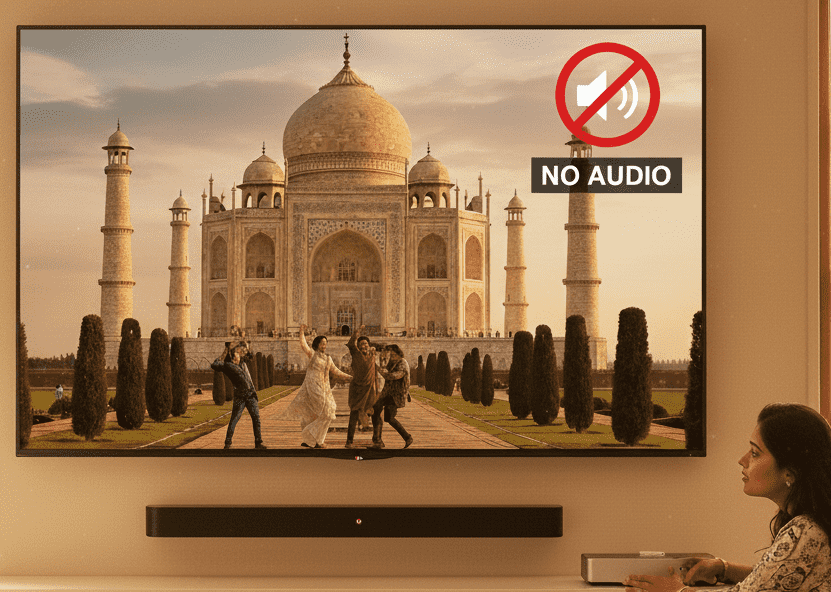
You switch on your TV, picture is clear, channels are coming… but there is no sound at all. This “TV sound not working but picture is fine” problem is very common with LED, LCD and Smart TVs in Agra, and it can be quite frustrating, especially during a match or family movie night.
In a city like Agra, where power cuts, voltage fluctuations, Wi‑Fi issues and monsoon humidity are normal, TV sound problems can appear suddenly even when the TV looks absolutely fine from outside. The good news: many issues are simple, and a few quick checks at home can sometimes solve them without any tools.
This article explains the possible causes, simple tests you can safely try, when you should stop DIY and call a professional TV technician in Agra, and what kind of TV sound repair cost in Agra you can expect. If at any point you feel confused or unsafe, you can always contact Ravi Electronics in Agra for expert home service for TV sound issues.
Why your TV sound is not working but picture is fine
When the picture is okay but the sound is missing, it usually means that the TV’s display system is working, but something in the audio path is not. This may be a simple setting, cable issue, mute option, or a hardware problem inside the TV such as speaker, audio IC or motherboard.
In many LED TV sound problem solutions, the real challenge is not repairing the part, but correctly identifying which part is faulty. That is why starting with basic checks is important before assuming major damage.
Symptoms and quick checks
If your TV sound is not working but picture is fine, notice these symptoms and try these quick checks:
- No sound on all channels and all apps, but picture is normal.
- Volume bar appears on screen and moves, but there is still no sound.
- Remote mute icon is not visible, but TV is silent.
- Sound comes for a few seconds after start, then goes off.
- Sound works on set‑top box but not on Smart TV apps (or opposite).
- Crackling or very low sound even at high volume.
Quick checks you can do in 2–5 minutes:
- Check TV and set‑top box volume are not muted and are above minimum.
- Try using the physical buttons on the TV (if available) to increase volume.
- Restart the TV by switching it off from the main power for 2–3 minutes.
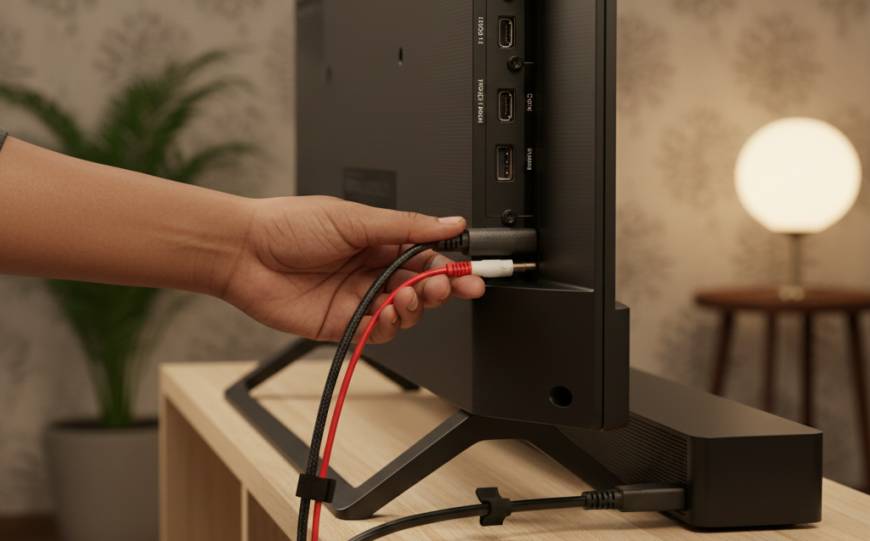
- Check all HDMI/AV cables are firmly plugged in, not half‑loose.
- Test with another channel, another app, or another input source.
- If you use an external soundbar or home theatre, disconnect it and test TV’s internal speakers only.
These small steps often solve simpler Smart TV no sound troubleshooting cases without any repair.
Common causes explained in simple language
Here are the most common reasons a TV shows picture but no sound, explained in non‑technical language:
- Muted or very low volume settings
Sometimes the remote mute button is pressed by mistake, or the set‑top box volume is at zero while TV volume is high. - Wrong audio output setting
In many Smart TVs, sound can be routed to “TV speakers” or “HDMI/Optical/Bluetooth”. If your TV is sending sound to a disconnected device, you will see picture but hear nothing. - Loose or faulty cable
A damaged HDMI or AV cable between TV and set‑top box can give you perfect picture but disturbed or no audio. - Set‑top box or app issue, not TV
Sometimes the problem is with DTH/cable box or a particular OTT app. If another input works fine, your TV may be okay. - Headphone jack stuck in “headphone mode”
Dust or a broken headphone plug in the 3.5 mm audio jack can make the TV think headphones are connected, so internal speakers stay off. - Internal speaker damage
Due to age, moisture, or very high volume use, the physical speakers can get damaged and stop giving clear sound. - Audio circuit or motherboard fault
Voltage fluctuation, power surges, or internal component failure can damage the audio section on the main board. This is a hardware problem and needs a trained technician. - Software or firmware glitch
In Smart TVs, sometimes a software bug after an update or app crash can cause sound to stop until the TV is reset or updated again.
Many of these causes need only simple setting changes, but issues like speaker or motherboard faults require professional LED TV sound problem solutions from a reliable TV technician in Agra.
Step‑by‑step troubleshooting guide
Follow these steps in order, from easiest and safest to more advanced. Stop if you are not comfortable, and do not open the TV cabinet yourself.
- Check mute and volume on both TV and source
- Use the remote to increase volume on the TV.
- Unmute the TV and also check the set‑top box/dish box volume (many boxes have separate volume control).
- Restart TV and connected devices from main power
- Switch off TV from the wall socket, not just from remote.
- Turn off set‑top box, soundbar, or any other connected device.
- Wait 2–3 minutes, then power on again.
This simple power cycle often fixes minor Smart TV no sound troubleshooting issues.
- Check different channels, apps and inputs
- Try at least 2–3 different TV channels.
- Open a YouTube video or another app if you have a Smart TV.
- Change input from HDMI 1 to HDMI 2 or AV, or play a video from USB if possible.
If sound is missing only on one app or one channel, the problem may not be with the TV.
- Inspect cables and connectors
- Gently push each HDMI/AV cable at the TV and set‑top box side to ensure they are fully inserted.
- If you have an extra HDMI cable at home, test with that.
- Avoid bending cables sharply or pulling them with force.
- Check audio output settings in TV menu
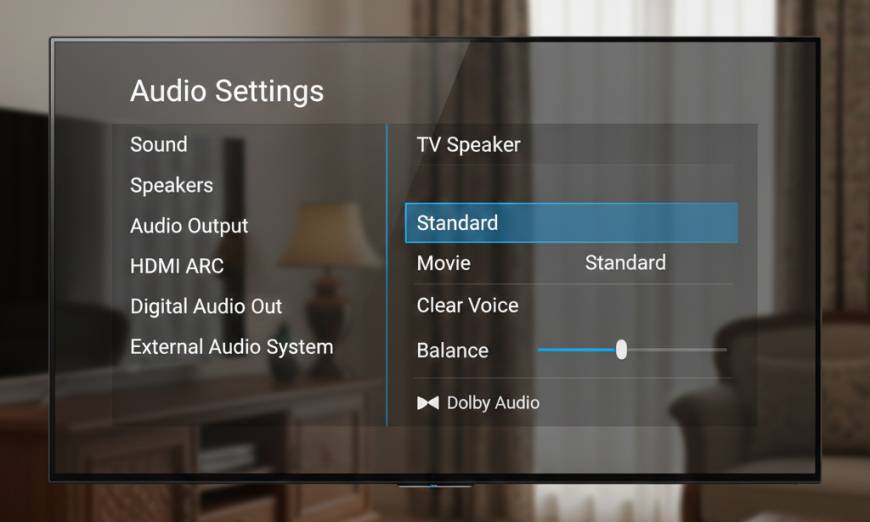
- Go to Settings → Sound/Audio on your TV.
- Ensure “TV speakers” or “Internal speakers” is selected as output.
- Turn off Bluetooth audio if you are not using any Bluetooth speaker or headphones.
- If an option like “Digital audio out” is selected but nothing is connected, set it back to “PCM/TV speaker”.
- Check headphone jack and external speakers
- If a 3.5 mm audio cable or headphones were used earlier, see if anything is still connected.
- Shine a light near the headphone jack and gently check if any broken piece is stuck (do not insert metal objects).
- Disconnect all external speakers and soundbars, then test TV alone.
- Restore sound settings to default
- Most TVs have an option “Reset sound settings” or “Reset to factory for audio”.
- Use that to clear any wrong audio mode or balance setting that might be causing the issue.
- Perform a full factory reset (software only)
- If you are comfortable and have your Wi‑Fi password and app logins handy, you can try a factory reset from TV settings.
- This can resolve software glitches, especially in Smart TVs after updates.
- After reset, set up the TV again and test with a simple channel or YouTube.
- Listen carefully for any faint or distorted sound
- Put your ear close to the speaker grills.
- If you hear very low, distorted or crackling sound even at high volume, it may indicate speaker or audio amplifier damage.
- Stop here – do not open the TV
- If none of the above steps work, the issue is likely hardware‑related: audio IC, speaker, connector, or main board.
- Opening the TV exposes you to high voltage components and can be dangerous. It can also void any remaining warranty.
- At this point, the safest option is to call a professional TV technician in Agra, like the team at Ravi Electronics, for diagnosis and repair.
When DIY fixes are not enough
Sometimes, even after doing all basic Smart TV no sound troubleshooting, the problem stays exactly the same. This is a sign that the issue is likely inside the TV hardware.
Here are clear signs you should stop DIY and call a technician:
- Sound cuts in and out when you tap the TV body or move it slightly.
- There is a burning smell, visible burn mark, or unusual heat near the speaker area.
- TV takes a long time to start, and sound appears much later than picture.
- You hear sudden loud popping or cracking noise before sound goes off permanently.
- Only one side speaker works (sound only from left or right).
- No sound at all on any input, even after a reset and cable change.
In these cases, common repairs include:
- Speaker replacement.
- Audio section repair on the motherboard.
- Complete motherboard replacement in some Smart TVs.
- Connector resoldering or cleaning if there is moisture damage.
For example, a customer from Kamla Nagar, Agra had a Smart TV where sound would come for 5 minutes and then disappear, but the picture was perfect. After inspection, Ravi Electronics found a faulty audio IC on the motherboard due to repeated voltage fluctuations. The IC was replaced and the TV has been working fine for months.
In another case from Sikandra, an LED TV had no sound on any channel. The issue was not the speakers but a damaged area on the main board due to moisture from the wall behind the TV during monsoon. After board‑level repair and proper wall spacing advice, the problem was fully solved.
Ravi Electronics in Agra handles such LED TV sound problem solutions every day, including internal speaker issues, audio IC faults, and Smart TV motherboard repairs, along with related services like wall‑mount installation and signal troubleshooting.
Cost expectations in Agra
Every TV model, brand and problem is different, so the final TV sound repair cost in Agra can be confirmed only after a proper inspection. However, here is a general idea of price bands and what affects them (without giving exact rupee amounts):
- Low cost range (minor issues)
- Wrong audio settings, loose cable, simple connection or setup issues.
- Cleaning headphone jack or basic non‑component work.
- Usually the cost here is mainly for inspection and service, not for expensive parts.
- Medium cost range (part replacement but not the main board)
- Internal speaker replacement.
- Small audio component or connector replacement.
- Simple repairs on the audio section where no full motherboard is needed.
- Higher cost range (motherboard or complex repairs)
- Audio circuit failure on Smart TV main board.
- Board‑level repair involving SMD components, ICs, etc.
- In some cases, complete motherboard replacement if repair is not reliable or parts are not easily available.
Key factors that affect pricing in Agra:
- Brand and model
Premium brands and very thin Smart TVs often use specialised parts which can be costlier. - Size of TV
Larger LED/LCD/Smart TVs (43″, 50″, 55″ and above) may have different audio designs and part costs than smaller 24″–32″ models. - Age of TV
Older models may have discontinued parts, making repair more complex, or sometimes not economical. - Availability of spares
Some parts are easily available in Agra’s local electronics market, while others may need to be ordered, which affects cost and time. - Type of problem (simple vs. deep hardware fault)
A simple speaker change is usually cheaper than a full audio IC or motherboard job.
At Ravi Electronics, inspection is followed by a clear explanation of the fault, repair options, and an approximate cost range before starting any work. This transparent approach helps customers decide whether to repair or consider replacement, especially for very old TVs.
Prevention and long‑term care tips
Many TV sound problems can be reduced or delayed with some simple habits at home. Here are practical tips to protect your TV’s audio system and avoid facing “TV sound not working but picture is fine” again:
- Use a good quality power strip or stabiliser
Agra is known for voltage fluctuations and sudden power cuts. A proper surge protector or stabiliser reduces the risk of damage to the TV’s power and audio circuits. - Avoid playing at maximum volume for long periods
Constantly using full volume can strain and slowly damage the speakers. Keep volume at a comfortable level and use external speakers if you regularly need very loud sound. - Ensure proper ventilation around the TV
Do not block the side or back vents with cloths, decorative covers, or furniture. Extra heat shortens the life of electronic components, including audio ICs and speakers. - Keep TV away from moisture and damp walls
During monsoon, walls can stay damp for days. If your TV is wall‑mounted on a damp wall, leave some gap and ensure proper ventilation to reduce moisture entry into the set. - Handle cables carefully
Pulling HDMI or AV cables by force or bending them sharply can damage connectors and cause intermittent sound issues. Always hold the connector, not the cable, while unplugging. - Regularly check sound settings after updates
Smart TVs sometimes change settings after software updates. If you suddenly face audio issues, quickly review the audio output and sound mode. - Keep children from pressing random buttons
Kids often change settings or connect/disconnect headphones and external speakers during play. Educate them not to press hard on speaker grills or pull cables roughly. - Clean the area gently and safely
Dust around speaker holes and jacks can affect sound. Clean using a soft, dry cloth. Avoid spraying liquid cleaner directly on the TV. - Place Wi‑Fi router sensibly
In rare cases, poor Wi‑Fi near the TV can cause OTT apps to hang or crash, giving the impression of a sound issue. Keeping the router at a reasonable distance and signal strength stable helps Smart TVs perform better overall.
These simple care practices improve not only sound reliability but also extend the life of your TV and reduce the need for frequent repairs.
Frequently Asked Questions
Is it safe to open my TV at home to fix this issue?
Opening a modern LED or Smart TV at home is not safe for most users. Even when the TV is off, some internal components can hold high voltage and may give a dangerous shock. Also, one wrong move can damage delicate parts and increase repair cost. It is always better to let a trained TV technician in Agra handle any internal repair.
How much does it usually cost to repair this problem in Agra?
The cost of fixing a TV sound not working but picture is fine issue in Agra depends on whether the fault is in settings, cables, speakers, or the main board. Simple issues like settings and connection problems fall in the lower price band, while speaker replacement and small audio parts are in a medium range. Complex motherboard or audio IC repairs are usually higher. A proper inspection by a service like Ravi Electronics is needed to give an accurate estimate.
Can Ravi Electronics provide same‑day service in Agra?
In many parts of Agra, Ravi Electronics can usually arrange same‑day home service for TV sound issues, especially if you call earlier in the day. Areas like Kamla Nagar, Khandari, Sikandra, Dayal Bagh and nearby localities are commonly covered. Same‑day repair completion depends on the fault type and part availability, but diagnosis and basic checks are often done on the first visit.
What if the sound issue is only on my set‑top box and not on apps?
If your TV sound works fine on YouTube or USB video, but not on your DTH or cable channels, the problem is likely with the set‑top box, its settings, or its cable. You can try restarting the box, checking its audio settings, and changing the HDMI/AV cable. If the issue continues, your TV is probably okay and you may need to contact your DTH/cable provider or call a technician to check both together.
Should I repair or replace an old TV with no sound?
For TVs older than 7–8 years, it depends on the overall condition, brand, and repair estimate. If the panel and picture are excellent and the sound problem is minor (like a simple speaker fault), repairing is usually worthwhile. If the main board is badly damaged and repair costs approach a significant part of a new TV price, you may want to consider replacement. A transparent inspection report from a service centre like Ravi Electronics helps you decide.
Do you handle all brands and sizes of TVs?
Yes, experienced local technicians in Agra like those at Ravi Electronics generally repair most popular brands and sizes, from 24″ LED TVs to large 55″+ Smart TVs. Common Indian and international brands are usually supported, including older LCD models. Exact availability of parts can vary by brand and age, which is why a physical check is important.
Can sound issues be related to wall‑mount or installation?
Improper installation can sometimes contribute to sound problems. If the TV is tightly pressed against a soft wall or covered, it can cause overheating which slowly affects internal parts. Incorrect cable routing or tension on ports during wall‑mount installation can also lead to intermittent sound. A professional installation service ensures good ventilation, safe mounting and proper cable management to reduce such risks.
If your TV sound is not working but picture is fine and you are in Agra, you don’t have to live with a silent screen or guess the problem. After decades of hands‑on TV repair experience in Agra, the team at Ravi Electronics has seen and solved almost every type of TV sound issue across LED, LCD and Smart TVs.
If you don’t have time to troubleshoot, feel unsafe handling cables or settings, or have already tried the basic steps and the problem still remains, simply contact Ravi Electronics for a visit. Same‑day home service is usually possible in many areas of Agra, and all major TV brands and sizes are handled with proper tools and genuine‑quality parts. A clear diagnosis and transparent cost discussion will help you get your TV’s sound back without unnecessary confusion.