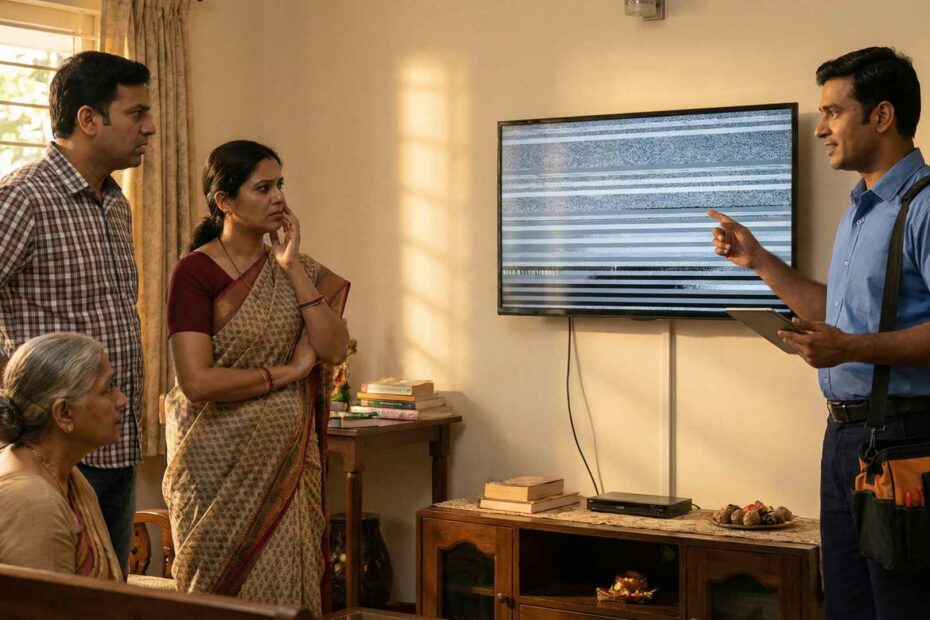
TV kharab ho gaya, aur ghar me turant doubt aata hai—“Warranty me covered hoga ya paid repair karwana padega?” Aajkal LED/LCD/Smart TV me same symptom (jaise blank screen) ke peeche alag-alag faults ho sakte hain, isliye jaldi decision lena thoda confusing ho jata hai.
Is blog me main technician wali simple language me aapko sikhaunga: quick TV warranty check, warranty me kya cover hota hai/nahin hota, service center vs local repair ka real difference, decision rules, cost kis cheez pe depend karta hai, aur claim ke time kaunse documents ready rakhne chahiye. Ravi Electronics ki taraf se ek honest promise: agar aapka case warranty me better hai, hum wahi route suggest karenge—pehle clarity, phir repair.
Key Points
- Sabse pehle TV warranty check karo: invoice date + serial/model = 2 minute clarity.
- Warranty active + physical damage nahi? Go with free Repairs at Brand Service Center.
- Screen crack/liquid/rust/pest signs? Mostly out-of-warranty category me aata hai.
- Warranty seal/labels disturb hue toh warranty void ka risk badh jata hai.
- Smart TV me repair se pehle Wi‑Fi/apps settings aur logins note kar lo.
- Warranty repair cost aksar covered hota hai; paid TV repair cost “fault + parts” pe depend.
- Doubt ho toh timeline + estimate compare karo; jaldi me wrong decision mat lo.
Quick Decision Box (Seedha Rule)
- Warranty active + physical damage nahi? → Warranty claim first.
- Screen cracked / liquid / rust / pest? → Likely out-of-warranty.
- Urgent same-day need? → Paid local repair may be faster.
- Brand service delay ho raha? → Timeline + quote compare karke decide.
Safety / honesty warning (ek baar dhyan se): TV mat kholo—shock risk + panel crack risk real hota hai, aur warranty seal/labels disturb karoge toh warranty void ho sakti hai. Sirf safe external checks (plug, cable, reset, power source) karo; andar ka kaam professional ko hi karne do.
Quick answer: Warranty repair lena chahiye ya out-of-warranty repair?
Agar warranty active hai aur TV par physical damage/unauthorized opening ka sign nahi hai, toh pehle in warranty TV repair (authorized route) try karo. Agar warranty expired hai, ya crack/liquid/rust/pest ya seal tampering ka case lag raha hai, toh out of warranty TV repair (paid repair) practical hota hai.
Real-world me decision 5 cheezon se banta hai: warranty status, damage type, urgency, parts availability, aur cost vs TV ki age/value. Warranty ka advantage “official process + covered parts” hota hai, lekin time lag sakta hai. Paid/local repair ka advantage speed aur options hoti hain, lekin right diagnosis aur parts quality choose karni padti hai.
TV warranty kaise check karein? (fastest method)
Fastest method: apni invoice date dekho, model/serial note karo, phir brand support page/app par warranty status/claim route check karo (ya customer care ko yahi details do). LG apne TV warranty info page par invoice date aur model se warranty information access/download karne ko kehta hai, isliye invoice details ready rakhna genuinely helpful hota hai.
- Invoice date + warranty period
- Standard warranty vs extended warranty (alag card/plan ho sakta hai; terms alag hoti hain)
- Model + serial number kahan milega? Back panel label, side sticker, ya TV settings → About/Device Info (brand ke hisaab se menu name change hota hai)
- Brand website/app/customer care approach
- Samsung “Product Warranty Information” page par category select karke warranty details dekhi ja sakti hain.
Call/complaint se pehle yeh note kar lo (time bachega):
- Symptom: “No display but sound”, “Red light blinking”, “Auto restart”, “Lines on screen”
- Photos/video: screen issue, back label, power light blink pattern
- Error code (agar show ho)
- Purchase proof (invoice best)
Invoice missing ho toh kya? (No overpromise)
- Email invoice (online purchase), bank statement reference, retailer ki duplicate bill—jo bhi available ho, woh collect karo.
- Brand/retailer case-to-case decide karta hai, isliye pehle proof arrange karke hi claim initiate karo.
Brand-specific quick tip (Samsung/LG/Sony/Mi/OnePlus)
- Samsung: warranty info/claim start karne ke liye official warranty/support route use karo.
- LG: invoice date + model ke basis par warranty info access/download ka option deta hai.
- Sony: physical damage cases me standard warranty cover nahi hota—pehle category clear karo.
- Mi/Xiaomi: warranty exclusions me physical damage/liquid/tampering jaise points clear mention milte hain—labels/seal safe rakho.
- OnePlus: extended warranty plan ke terms me identification labels/serial tampering exclusions mention hote hain—paperwork sambhal ke rakho.
Warranty me usually kya cover hota hai, aur kya nahi?
Simple rule: warranty mostly “manufacturing defect / internal failure” cover karti hai, accidental/physical damage usually cover nahi hota. Sony clearly note karta hai ki physical damage standard warranty me cover nahi hota.
Covered (typical)
- Manufacturing defects (TV normal use me suddenly fail ho)
- Internal boards faults (power/main board type issues)
- Backlight/power issues (varies by brand/model and diagnosis)
Not covered (typical)
- Physical damage (crack, dent, impact), liquid ingress—Samsung bhi physical damage ko warranty me cover nahi batata.
- Rust/pest/insect damage, improper installation/handling (varies)
- Unauthorized opening/repairs, seal/labels tampering—Xiaomi warranty terms me tampering/labels removal ko warranty void/exclusion me clearly mention kiya gaya hai.
- Power surge/lightning (varies by brand policy; some cases exclusions me aa sakte hain)
Disclaimer: brand-to-brand terms different hote hain—final confirmation ke liye apna warranty card/brand page dekho.
Service center vs local technician (Ravi Electronics): difference kya hota hai?
Agar case clearly warranty-eligible hai, authorized service center first attempt best hota hai; warna local repair me speed aur flexibility milti hai. Physical damage type cases me standard warranty cover nahi hota—Sony ka note is baat ko direct support karta hai.
- Turnaround time: service center me appointment queue ho sakti hai; local me same/next-day possible (fault/parts pe depend)
- Parts availability & options: authorized route me OEM-only; local me OEM/compatible choices mil sakti hain (aap decide karte ho)
- Cost transparency: warranty = covered cases me usually parts+labour included; paid = parts + labour + visit/diagnosis (case-to-case)
- Convenience: home visit, pickup-drop options (area/brand pe depend)
- Documentation: service center job sheet + claim trail; local repair me aapko written estimate + replaced part note lena chahiye
Honest line: kuch cases (brand recall, under-warranty board replacement, replacement eligibility) me authorized center ko pehle chance dena hi smart hota hai.
Top 8 signs you should choose warranty repair first
- Sign: TV abhi 1 year/2 years ke andar hai (standard/extended).
Matlab kya: High chance manufacturing defect category me ho.
Next step: TV warranty check karke complaint register karo. - Sign: Physical damage ka koi evidence nahi (crack/dent/impact).
Matlab kya: Claim reject hone ka risk kam hota hai.
Next step: Photos/video leke brand ko share karo. - Sign: Sudden “power nahi aa rahi / dead” without incident.
Matlab kya: Power board/SMPS type fault warranty me aa sakta hai.
Next step: Extension board change karke try karo, phir claim. - Sign: Start se dead pixels/line issue quickly aaya.
Matlab kya: Manufacturing defect possibility.
Next step: Early complaint = better outcome. - Sign: Random reboot/boot loop without app changes.
Matlab kya: Main board/firmware type issue ho sakta hai.
Next step: Factory reset sirf settings me jaake; opening mat karo. - Sign: Aapne DIY opening/repair try nahi kiya.
Matlab kya: Warranty void risk avoid.
Next step: Seal/labels untouched rakho. - Sign: Back-side warranty seal/labels intact dikh rahe hain.
Matlab kya: Unauthorized opening ka doubt kam hota hai.
Next step: Service visit book karo. - Sign: Brand support reachable hai, appointment mil raha hai.
Matlab kya: Official route ka time reasonable ho sakta hai.
Next step: Timeline pooch ke plan karo.
Top 8 signs out-of-warranty repair makes more sense
- Sign: Warranty expired ho chuki hai.
Matlab kya: Paid TV repair hi main option banta hai.
Next step: Diagnosis + written estimate lo. - Sign: Screen cracked / impact mark / panel damage suspicion.
Matlab kya: Physical damage standard warranty me usually cover nahi hota.
Next step: Replacement/repair economics compare karo. - Sign: Urgent need—same day/next day TV chahiye.
Matlab kya: Authorized timeline slow ho sakti hai.
Next step: Local repair timeline confirm karo. - Sign: Brand quote “too high” lag raha, but TV otherwise fine.
Matlab kya: Local me repair-level options mil sakte hain.
Next step: 2nd opinion + parts option discuss karo. - Sign: Minor board-level fault (ports, HDMI, sound, standby issue).
Matlab kya: Component-level repair possible hoti hai (case-to-case).
Next step: Proper diagnosis karwao. - Sign: Long use ke baad dim display/backlight issue.
Matlab kya: Wear-related failure out-of-warranty category me common hai.
Next step: Backlight vs board fault confirm karwao. - Sign: Remote/ports/wifi module type issues.
Matlab kya: Sometimes small part fix se kaam ho jata hai.
Next step: Estimate me “repair vs replace module” options lo. - Sign: Multiple brand visits ho rahe, issue solve nahi ho raha.
Matlab kya: Practical route: independent diagnosis + clear explanation.
Next step: Symptom video + job sheet notes maintain karo.
Warranty claim process: step-by-step (simple)
Process mostly same pattern follow karta hai:
- Complaint register karo (app/website/helpline)
- Invoice + model/serial share karo
- Appointment schedule
- Technician visit
- Diagnosis + approval (agar required)
- Repair/replacement action
- Job sheet closure
Small tips jo families ko sach me help karte hain:
- Job sheet ka photo le lo, “issue noted” aur “action taken” clear hona chahiye.
- Jo parts replace ho rahe hain, unka note lo.
- Timelines pehle hi pooch lo (parts availability + next visit date).
- Blank paper/job sheet par sign mat karo—pehle likha hua check kar lo.
Cost reality: warranty repair cost vs out-of-warranty TV repair cost kis cheez pe depend karta hai?
In-warranty me covered cases ke liye parts+labour usually included hote hain, lekin exclusions (physical damage, liquid, tampering, surge etc.) ki wajah se claim reject ho sakta hai—Xiaomi warranty terms me physical damage/liquid/tampering exclusions ka mention milta hai.
Out-of-warranty me cost generally 3 parts me banti hai: diagnosis/visit (if any), parts, labour. Isliye “ek fixed price” bolna galat hota hai—same symptom me alag fault ho sakta hai.
Cost factors (jo final bill decide karte hain)
- TV size & type (LED/LCD/Smart; bigger panel = higher risk/cost)
- Fault category (backlight, power board, main board, T‑Con, speakers, ports)
- Panel damage risk (often most expensive part)
- Parts availability (original vs compatible; aapki choice)
- Service urgency (same-day vs scheduled)
- Multiple faults (kabhi-kabhi ek se zyada issue hota hai)
Agar aap broad range sunna chahte ho, main hamesha bolta hoon: “inspection ke baad confirm”—pehle diagnose, phir options.
Repair vs replace: warranty/out-of-warranty ke context me seedha guide
Rule: agar repair safe, reliable aur cost-effective hai, toh repair; aur agar panel/major parts cost TV ke value ke close aa raha ho, toh replacement practical ho sakta hai. Physical damage (crack/impact) standard warranty me cover nahi hota, aur panel replacement cost heavy ho sakti hai—Sony isko physical damage category me treat karta hai.
Repair makes sense when…
- Warranty active hai aur issue “manufacturing defect” type lag raha hai
- Out-of-warranty me backlight/power board/main board repair feasible hai
- TV overall condition good hai (no rust/pest/previous tampering)
- Aapko same model features pasand hain, replace ka budget immediate nahi
Replace makes sense when…
- Panel cracked/bleeding/major display damage
- Repeated failures + multiple repairs ho chuke
- Parts unavailable ya unreliable options hi bache
- Repair cost vs new TV value ka gap chhota ho gaya
3 chhote real-life scenarios
- “TV 8 months old, no damage, suddenly on nahi ho raha” → claim first, jaldi register complaint.
- “TV 5 years old, dim picture but sound ok” → paid repair/diagnosis often worth it (backlight side).
- “Kids ne toy se screen hit kar di, crack aa gaya” → usually replace practical, repair rarely sensible.
Common mistakes that increase cost (and how to avoid)
- Warranty claim se pehle local opening karwa lena (warranty void ka risk badh jata hai).
- Flickering/dim TV ko forcefully chalate rehna (backlight/power section aur damage ho sakta hai).
- Symptom ka video/photo na banana—later proof weak ho jata hai.
- Loose plug/extension board ko ignore karna (simple issue ko big samajh lete hain).
- “Panel gone” assume kar lena without diagnosis (kabhi-kabhi backlight/board hota hai).
- Claim registration delay karna (especially warranty ke end ke time).
- Job sheet bina padhe sign kar dena.
Technician inspection process at Ravi Electronics (simple steps)
Hamari process simple rakhti hai—family ko samajh aaye, aur aapko control feel ho:
- Symptom samajhna (aapki language me)
- Safe external checks (power source, cable, ports, settings)
- Diagnosis (root cause identify)
- Estimate options (good/better; parts quality choice clearly)
- Repair + testing/burn‑in (basic stability check)
- Handover tips (care, ventilation, surge safety)
Hum clearly bol dete hain agar aapka case warranty route me better hai, aur aapko written estimate dete hain—no pressure. Details ke liye aap Repair Services page bhi dekh sakte ho.
Myth vs Reality (5 quick points)
Myth: “Warranty me sab free hota hai.”
Reality: Covered defects me relief milta hai, but physical/accidental damage standard warranty me usually cover nahi hota.
Myth: “Local repair always cheap hota hai.”
Reality: Cheap tab hota hai jab diagnosis sahi ho aur parts choice sensible ho; warna repeat cost badh jata hai.
Myth: “Once opened, warranty doesn’t matter.”
Reality: Many brands tampering/labels/seal disturb hone par warranty void/exclusion treat karte hain.
Myth: “Service center hamesha pura TV replace karta hai.”
Reality: Often repair-first hota hai; replacement eligibility case-to-case hoti hai.
Myth: “Out-of-warranty matlab TV replace hi karna padega.”
Reality: Bohot cases me board/backlight level repair se TV wapas fit ho jata hai.
Top 10 tips: warranty safe kaise rakhein + repair decisions smart kaise banayein?
- Invoice ka photo + PDF backup banao (Google Drive/WhatsApp saved).
- Back label/serial number ki photo pehle hi le lo.
- Warranty seal/labels peel mat karo—risk avoid.
- Good-quality surge protector use karo (especially inverter/voltage fluctuation areas me).
- Symptom aate hi short video record karo (blink code, line issue, reboot).
- TV kholne ki DIY mat karo—shock + panel crack ka risk.
- Warranty claim me job sheet ka photo always rakho.
- Extended warranty me exclusions pehle read karo—accidental damage often separate plan hota hai.
- Timeline compare karo (service center vs local), then decide—sirf price pe mat jao.
- Parts quality options samajh ke choose karo—cheap vs reliable ka difference long-term me dikhta hai.
FAQ
1) Warranty kaise check karu without invoice?
Serial/model note karke brand support se check try kar sakte ho, aur alternate proof (email invoice, bank statement, retailer copy) arrange karo. LG warranty info access ke liye invoice date/model ko important batata hai, isliye proof ka arrangement helpful hota hai.
2) Warranty repair cost kya hota hai?
Covered cases me warranty repair cost generally parts+labour included hota hai, but exclusions apply ho sakte hain. Physical damage standard warranty me usually cover nahi hota.
3) Out of warranty TV repair worth it kab hota hai?
Jab fault panel-level nahi hai, aur repair cost TV value ke comparison me sensible ho. Backlight/power board/main board type issues me often repair worth it hota hai (inspection ke baad confirm).
4) Service center late kar raha ho toh kya karu?
Complaint number safe rakho, expected timeline likhwa lo, aur parts availability ka clear update maango. Agar delay zyada ho, aap paid/local diagnosis se options compare kar sakte ho—especially jab warranty cover nahi lag raha.
5) Local repair se warranty void ho jayegi?
Agar TV open hua, seal/labels disturb hue, ya unauthorized repair ka evidence bana, toh warranty issue ho sakta hai. Xiaomi warranty terms me label/seal tampering ko exclusion/void scenario me mention kiya gaya hai.
6) Extended warranty claim ka process same hota hai?
Mostly similar hota hai (register → verify → visit → repair), but provider (brand/third-party) ke rules alag ho sakte hain. Extended warranty plans ke terms/exclusions carefully read karna important hai.
7) Panel crack ho gaya—warranty cover karegi?
Generally nahi; physical damage standard warranty me cover nahi hota (Sony ka note isko clearly state karta hai).
8) Technician visit charge warranty me hota hai?
Brand policy pe depend karta hai; covered claim me usually process smooth hota hai, but exclusions/physical damage categories me charges apply ho sakte hain. Physical damage warranty me cover nahi hota—so paid route treat ho sakta hai.
9) Repair ke baad warranty milti hai kya?
Authorized repair me job sheet/parts warranty brand terms ke hisaab se ho sakti hai. Local repair me bhi parts/service warranty mil sakti hai, par duration/coverage clearly written me lo.
10) Same-day repair possible hota hai?
Kuch faults (minor board work, port/connection issues, certain backlight cases) me possible hota hai—parts available honi chahiye. Panel-level cases me same-day mushkil hota hai.
11) “Warranty void” ka matlab kya hota hai?
Matlab brand free warranty obligation deny kar sakta hai, aur case paid repair ban jata hai. Warranty seal/labels tampering jaise points kuch brands ke terms me clearly mention hote hain.
12) Smart TV repair se data/settings delete ho sakte hain?
Kabhi-kabhi reset/board change me apps/logins/settings re-do karne padte hain. Repair se pehle Wi‑Fi password, OTT logins, picture settings ka note rakhna sensible hai.
Aap right route choose karoge toh money aur time dono save hote hain—bas pehle warranty check, phir damage category clear, phir timeline + estimate compare. Safe checks ghar pe karo, documents ready rakho, aur phir professional diagnosis lo.
Agar aapko doubt hai ki warranty claim better rahega ya out of warranty TV repair, toh Ravi Electronics se inspection/estimate ke liye connect kar sakte hain—details ke liye Repair Services aur warranty checklist ke liye Warranty Info dekh lo.