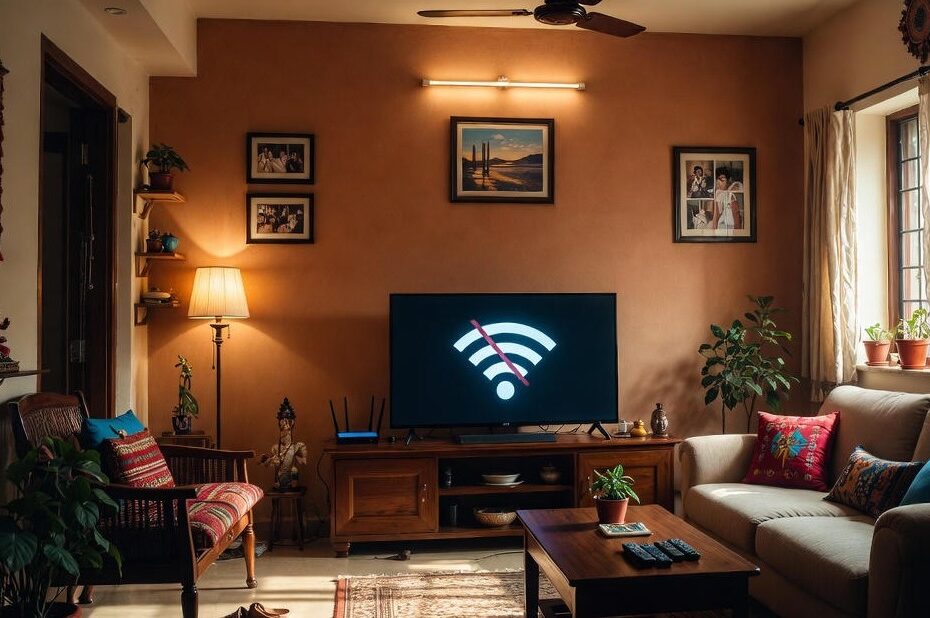
Smart TV chalu hai, picture aa rahi hai, lekin YouTube, Netflix ya koi OTT app open hi nahi ho raha kyunki Wi‑Fi connect nahi ho raha?
“Smart TV Wi‑Fi not connecting”, “TV Wi‑Fi keeps disconnecting” ya “Connected, no internet” jaisi problems bahut commonly dekhne ko milti hain.
Is guide mein step‑by‑step bataaya gaya hai “How to fix Wi‑Fi connection issues on a smart TV”, kaunse common reasons hote hain jinki wajah se Smart TV Wi‑Fi not connecting hota hai, aur kab aapko Agra mein professional technician, jaise Ravi Electronics, ko call karna chahiye.
Key points (read this first)
- Sabse pehle simple checks karein: dusre devices par internet test karein, router + TV ka proper restart karein, aur sahi Wi‑Fi network / password confirm karein – inhi steps se kaafi Smart TV Wi‑Fi not connecting cases solve ho jaate hain.
- Agar TV “Connected, no internet” dikhata hai ya sirf apps nahi chal rahi, toh aksar problem ISP, router configuration ya DNS/IP settings mein hoti hai, TV ke hardware mein nahi.
- Purane routers, weak signal (thick walls, distance) aur overloaded Wi‑Fi par Smart TV Wi‑Fi keeps disconnecting common hai; router placement improve karke, Wi‑Fi extender/mesh ya better broadband plan se streaming stable ho sakti hai.
- Jab TV kisi bhi Wi‑Fi network ko detect nahi karta, sirf router ke bilkul paas rakho tab hi chalta, ya network settings kholte hi hang/error aata hai, toh ye defective Wi‑Fi module / antenna jaisa hardware issue ho sakta hai.
- Aise hardware‑level ya complex software issues ke liye DIY risky hai; Agra mein aap Ravi Electronics ko call/WhatsApp karke home visit ya workshop diagnosis ke through safe Smart TV Wi‑Fi repair karwa sakte hain.
Need quick help in Agra?
Call / WhatsApp Ravi Electronics for Smart TV Wi‑Fi not connecting, TV Wi‑Fi keeps disconnecting, ya “Smart TV Wi‑Fi connected but no internet” jaise issues ke liye same‑day assistance.
Quick checks before you panic
Bahut baar “Why is my smart TV Wi‑Fi not connecting to my home network?” ka answer ek simple restart, password mistake ya ISP issue hota hai jo aap 5–10 minute mein khud fix kar sakte hain.
1. Check other devices on the same Wi‑Fi
- Dekhiye kya aapka mobile, laptop ya tablet usi Wi‑Fi se connect ho kar internet chala pa raha hai.
- Agar sab devices mein internet slow ya band hai, toh issue zyadatar router/ISP ka hota hai, TV ka nahi – yaani “TV Wi‑Fi connected but apps not working” ke peeche broadband problem ho sakta hai.
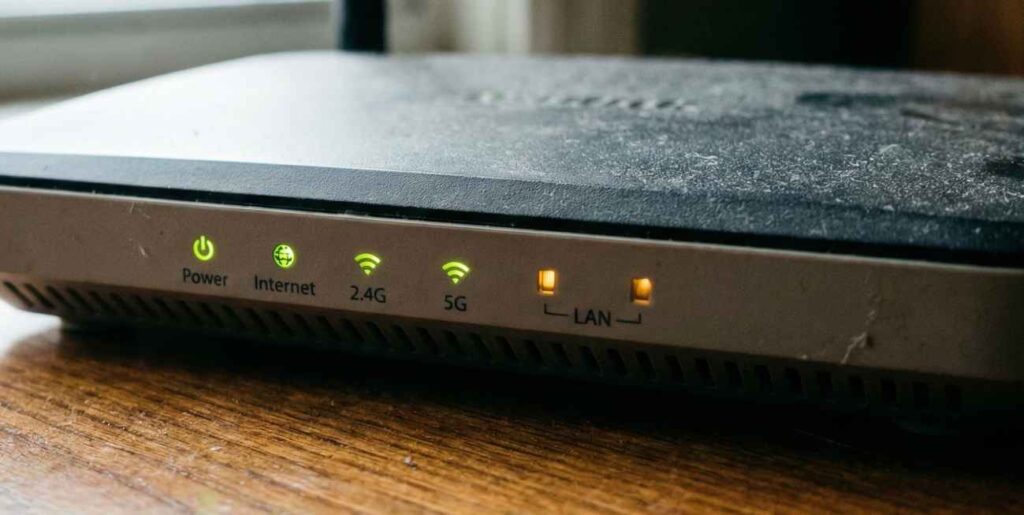
2. Restart Wi‑Fi router and Smart TV (correct sequence)
- Pehle Smart TV ko remote se band karein, phir main power switch se plug off karke 30 second wait karein.
- Ab router ko power off karke 30–60 second baad on karein, lights stable hone ke baad TV wapas on karein – iss simple power cycle se temporary software glitches aur Smart TV Wi‑Fi connection drops during streaming jaise issues aksar clear ho jaate hain.
3. Confirm correct Wi‑Fi network and password
- Smart TV ke Wi‑Fi list mein kabhi‑kabhi padosi ka network ya purana hotspot select ho jata hai, jisse “Smart TV shows Wi‑Fi but not connecting” wala error aata hai.
- Dhyan se apna hi router SSID select karein, password enter karte waqt caps, space aur special characters carefully check karein, taaki “Wi‑Fi password incorrect but it’s right” jaise typical mistakes avoid ho saken.
4. Hotspot / airplane mode confusion clear karein
- Agar pehle phone hotspot use kiya tha, ensure karein ki ab TV phir se ghar ke broadband Wi‑Fi par set ho, sirf purane hotspot par atka na ho.
- Wi‑Fi test karte waqt ek hi clear source use karein, kyunki airplane mode ya mobile data off hone par hotspot se bhi stable internet nahi milega.
5. Check ISP / broadband issues (FUP / data limit)
- Agra mein kai baar FUP limit cross hone, recharge due hone ya local line issue ki wajah se internet slow ya band ho jata hai.
- Agar phone par bhi videos buffer ho rahe hain ya speed test low aa raha hai, toh pehle ISP (Jio Fiber, Airtel, BSNL, local provider, etc.) se confirm karein – yeh typical “Connected, no internet” situation hoti hai.
6. TV aur router ko temporarily paas laa kar test karein
- Purane makaan, thick brick walls, fridge, metal almirah ya stair area Wi‑Fi signal ko weak kar dete hain, jisse Smart TV Wi‑Fi keeps disconnecting again and again ho sakta hai.
- Agar router ko TV ke paas laa kar rakhne se connection stable ho jaye, toh problem weak signal ki hai, TV hardware fault ki nahi; aise cases mein aap later Wi‑Fi extender ya mesh system consider kar sakte hain.
Smart TV network settings you must verify
Agar quick checks se issue solve nahi hua, toh agla step hai TV ke andar ke network menus verify karna – ye safe steps hain, in se TV ko damage nahi hota.

Check network status inside the TV menu
- Remote se Home / Settings dabaiye, phir Network / Connections / Wi‑Fi section open karein.
- Yahan aap “Wireless”, “Network status”, “Connection test” jaise options se quickly dekh sakte hain ki Smart TV Wi‑Fi not connecting router ki wajah se hai ya TV ki side se.
Common messages and meaning:
- Connected, no internet – TV router se connected hai but router se internet nahi aa raha, zyadatar ISP/broadband issue.
- Not connected – TV kisi Wi‑Fi se linked nahi; aapko SSID choose karke password daalna hoga.
- No wireless networks found – router band/bohot door ho sakta hai, ya defective Wi‑Fi chip / antenna inside smart TV jaise hardware fault ka sign ho sakta hai.
Forget and re‑add your Wi‑Fi network
Kabhi‑kabhi saved Wi‑Fi profile corrupt ho jaata hai, jisse baar‑baar password sahi hone ke baad bhi “Smart TV not connecting to Wi‑Fi” error aata hai.
- Settings → Network / Wi‑Fi open karein, apne existing SSID ko select karke Forget / Delete / Remove this network choose karein.
- TV ko power off karke 20–30 second baad wapas on karein, phir Wi‑Fi list se apna network choose karke password carefully re‑enter karein.
- Agar ab connection ho jata hai, toh issue sirf corrupted saved profile ka tha, jo aapne clear kar diya – yeh simple step bohot saare home Wi‑Fi compatibility problems resolve karta hai.
Check date, time and software / firmware updates
Wrong date/time ya outdated firmware ki wajah se bhi “Smart TV Wi‑Fi connected but no internet on apps” jaisa feel ho sakta hai.
- Date & Time settings mein jaa kar year, month, time check karein; galat hone par correct karein ya automatic network time enable karein.
- “Software update / System update / Firmware update” section se check karein ki koi pending update toh nahi, kyunki kai brands Wi‑Fi connectivity bugs fix karne ke liye firmware release karte hain.
Common reasons Smart TV Wi‑Fi doesn’t work
Is section mein aapka content direct answer deta hai users ke sawal ko: “What are common causes of smart TV Wi‑Fi failures?” aur “How to fix them?”.
1. Weak Wi‑Fi signal (distance, walls, placement)
- Thick walls, metal cupboards, fridge, staircase, ya router bohot corner mein hone se signal weak ho jata hai, especially Agra ke purane makaano mein.
- Symptom: signal bars low, streaming buffer, TV sirf router ke bilkul paas rakho tab hi theek chalna – aise cases mein router placement improve karein, ya large/multi‑storey homes ke liye Wi‑Fi extender / mesh Wi‑Fi use karein.
2. Too many devices on the same Wi‑Fi
- Jab phones, laptops, CCTV, smart devices sab ek router par lage hote hain, toh bandwidth share hone se TV par apps slow ho jaate hain.
- High‑usage time par kuch unused devices ka Wi‑Fi off karein, streaming quality thodi kam karein, ya phir broadband plan upgrade karein jo smart TV streaming ke liye optimized ho.
3. Old or incompatible router
- Bahut purane routers naye smart TV Wi‑Fi standards (dual‑band, 5 GHz, latest security) ke saath consistent nahi hote, jisse “Smart TV shows Wi‑Fi but not connecting” jaisi problem aati hai.
- Router settings mein simple mode (2.4 GHz + WPA2) use karein; agar model bohot outdated hai, toh best Wi‑Fi routers compatible with smart TVs jaisa upgrade soch sakte hain for long‑term stability.
4. Software bugs or outdated firmware
- Outdated firmware ya buggy update ke baad Smart TV Wi‑Fi not connecting ho sakta hai ya apps crash kar sakte hain.
- Stable network par TV ko latest firmware pe update karein, update ke baad ek full restart karein, aur phir connection test karein.
5. DNS / IP configuration errors
- Jab TV “Connected” dikhata hai lekin apps load nahi hoti, ya kuch specific apps hi open hoti hain, toh aksar DNS/IP configuration issue hota hai.
- Normal users ke liye best hai ki IP settings ko Automatic / DHCP par hi chhodein; advance DNS changes tabhi karein jab aapko process clear ho ya phir technician guide kare.
6. Wi‑Fi module / antenna fault inside TV
- Agar other devices same room mein full signal dikhate hain lekin TV kisi Wi‑Fi ko detect hi nahi kar raha, toh defective Wi‑Fi chip / antenna ka doubt strong ho jata hai.
- Aise cases mein TV kholna padta hai, jo DIY ke liye safe nahi; yahan Ravi Electronics (Agra) jaise experienced Smart TV repair center ko call karna best option hai.
When to stop DIY and call a technician
Neeche wale signs par aapko sochna chahiye: “How to identify if my smart TV’s Wi‑Fi antenna is faulty?” aur direct professional help lene ki.
- TV kisi bhi Wi‑Fi network ko detect nahi kar raha, jabki phone/laptop same room mein full signal dikhate hain.
- Smart TV Wi‑Fi keeps disconnecting every 2–5 minutes even after router ke paas rakhne aur restart karne ke baad bhi.
- TV sirf tab connect hota hai jab router bilkul paas ho, thoda distance badhne par connection drop – classic weak/damaged antenna or Wi‑Fi module symptom.
- Network settings open karte hi TV hang/freeze/error message dikhata hai, jo deeper board‑level issue ko indicate kar sakta hai.
Call‑to‑Action:
In symptoms ka matlab hota hai ki problem hardware ya advanced configuration level par hai.
Agra mein aap Ravi Electronics ko call/WhatsApp karke smart TV Wi‑Fi chip / module check, replacement ya board‑level repair secure tarike se karwa sakte hain.
Typical repair process and time in Agra
Ravi Electronics attempt karta hai ki small Wi‑Fi issues phone ya home visit par hi solve ho jayein, aur sirf genuine hardware fault par workshop diagnosis ki zarurat pade.
- Call / WhatsApp diagnosis: Brand, model, age, exact issue (e.g., “Smart TV Wi‑Fi not connecting but phone works”) le kar basic checks guide kiye jaate hain.
- Home visit vs workshop: Settings/router config wali problems mostly home visit par close ho sakti hain, jabki defective Wi‑Fi module / antenna wale cases workshop tools ke through test kiye jaate hain.
- Time estimate: Minor software/configuration fixes usually same‑day ya 24 hours ke andar ho jaate hain, jabki Wi‑Fi module/motherboard level repair 2–4 working days le sakta hai depending on parts availability.
Repair vs replace: kaun sa option better hai?
Every “Smart TV Wi‑Fi not connecting” case repair‑worthy nahi hota; kabhi‑kabhi naya TV lena financially better decision hota hai.
- 2–5 saal purana branded Smart TV, jisme sirf Wi‑Fi module fault hai aur picture/sound perfect hai – yahan repair almost always sensible hai.
- 8–9 saal purana TV jisme panel lines, sound issues aur ab Wi‑Fi bhi problem de raha hai – combined faults ki wajah se replacement zyada logical ho sakta hai; yahaan bhi Ravi Electronics aapko honest opinion deta hai.
How to avoid Smart TV Wi‑Fi problems in future
Prevention se aapko baar‑baar “Smart TV not connecting to Wi‑Fi” type tension nahi face karni padegi, especially Agra jaisi jagah jahan dust, heat aur compact rooms common hain.
- Router ko open, central location par rakhein; floor, closed cupboard ya microwave ke paas rakhne se avoid karein to reduce interference.
- Har 1–2 hafte mein router aur TV ka proper restart karein, aur mahine mein ek baar software / firmware updates check karein taaki latest Wi‑Fi standards ke saath compatible rahein.
- Acha spike guard / surge protector use karein, kyunki voltage fluctuations se Wi‑Fi module, main board aur power supply sab damage ho sakte hain.
FAQ (AEO‑style question headings)
1. Why is my smart TV not connecting to Wi‑Fi but my phone is?
Agar phone/laptop same Wi‑Fi par theek chal raha hai lekin smart TV Wi‑Fi not connecting hai, toh issue mostly TV side – settings, firmware ya Wi‑Fi hardware – mein hota hai, router side par nahi.
Network status, correct password, forget & re‑add Wi‑Fi, firmware update aur basic restart steps try karein; agar TV koi bhi Wi‑Fi network detect hi nahi kar raha, toh defective Wi‑Fi module / antenna ke liye technician ki zarurat hogi.
2. Smart TV Wi‑Fi connected but apps not working – what should I do?
Ye situation tab aati hai jab TV router se connect hai lekin actual internet stable nahi hai ya DNS/IP configuration galat hai, jisse OTT apps load nahi hoti.
Router restart karein, TV ke network test / connection check option run karein, aur agar phone par bhi slow hai toh ISP ko contact karein; agar sirf TV par issue hai, toh firmware, DNS settings aur network reset steps follow karein.
3. My smart TV shows Wi‑Fi but says “No internet” – TV problem or router problem?
Usually “Connected, no internet” ka matlab hota hai ki router khud internet se properly linked nahi hai, ya ISP side par outage/FUP issue hai.
Same Wi‑Fi par phone/laptop se websites open karke test karein; agar wahan bhi issue hai toh router/ISP problem hai, warna TV network settings aur updates investigate karein.
4. Smart TV Wi‑Fi keeps disconnecting again and again – what are the reasons?
Frequent disconnection weak signal, wrong placement, interference, over‑loaded router, ya kabhi‑kabhi outdated firmware ki wajah se hota hai.
Router ko TV ke paas laa kar, Wi‑Fi channel/band optimize karke, aur TV firmware update karke dekhein; agar phir bhi sirf TV hi disconnect karta hai, toh Wi‑Fi antenna / module issue ka doubt strong hota hai.
5. Can a Wi‑Fi extender or mesh Wi‑Fi improve my smart TV connection?
Haan, large/multi‑storey homes ya thick‑wall apartments mein Wi‑Fi extender, repeater ya mesh Wi‑Fi system smart TV tak signal strong rakhne mein kaafi help karta hai.
Agar router paas laane par TV perfectly kaam karta hai but actual location par disconnect hota hai, toh Wi‑Fi extender / mesh system ek practical long‑term solution hai.
6. When should I consider smart TV Wi‑Fi repair instead of buying a new TV?
Agar TV relatively new (2–5 saal), picture/sound perfect, aur issue isolated Wi‑Fi module / software tak limited hai, toh repair usually cost‑effective rehta hai.
Multi‑fault, very old TVs jahan panel, sound aur board sab issues de rahe hain, unmein Wi‑Fi repair ki jagah replacement better ho sakta hai; Ravi Electronics aapko inspection ke baad clear estimate dekar decision easy bana sakta hai.
Problem solve nahi hui? (Need expert help?)
Agar aap Agra ya nearby area mein hain aur aapka Smart TV Wi‑Fi not connecting, keeps disconnecting, ya “Smart TV Wi‑Fi connected but no internet” jaisi problem bar‑bar aa rahi hai, toh aap call ya WhatsApp par Ravi Electronics se contact kar sakte hain.
Yahaan experienced technicians home visit + workshop diagnosis, Wi‑Fi module / antenna testing, genuine advice aur transparent estimate ke saath professional Smart TV Wi‑Fi repair services provide karte hain, taaki aapka OTT streaming experience phir se smooth ho jaye.
Hello, I have a few questions about your company and services. Is someone available to answer? Thanks
yes, please ask.